Install Fabric Loader for Minecraft Java the Official Way

Install Fabric Loader, then no Fabric profile in the Launcher? Fabric’s guide names two things to check first, and we list both.
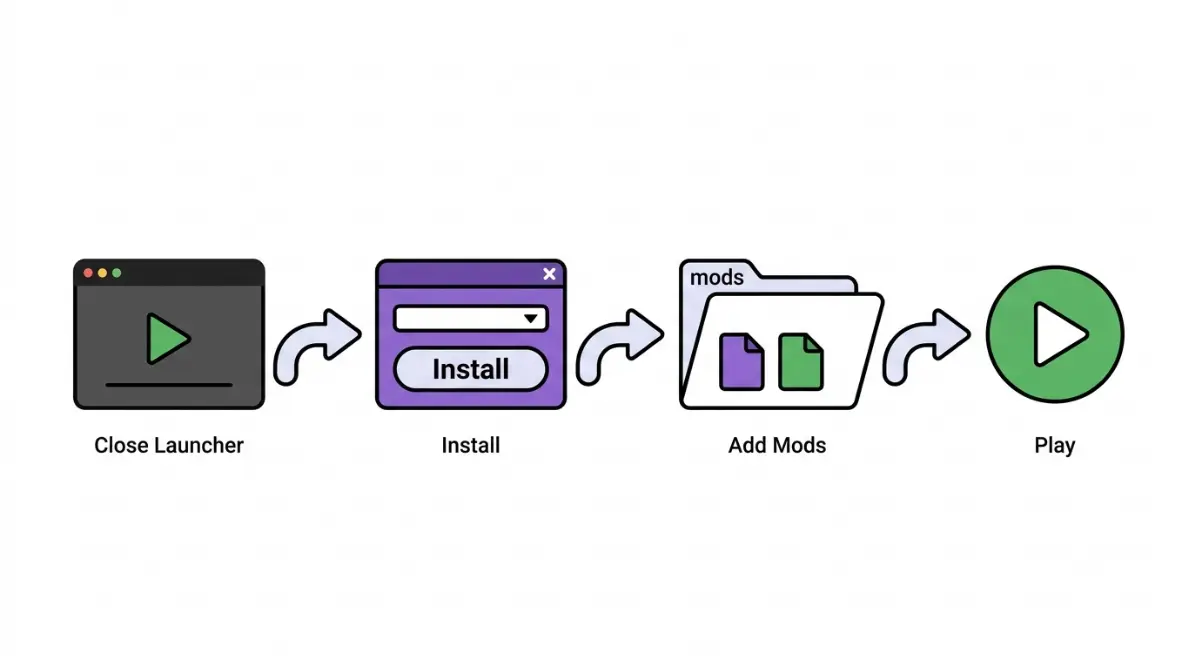
Table of Contents
📌 Quick answer: Close Minecraft and the launcher, download the Fabric installer from fabricmc.net, choose Minecraft 26.3 with Create Profile checked, and click Install. Open the launcher and pick the Fabric profile. Add the newest 26.3 Fabric API file (most mods need it) to your mods folder. Java Edition only.
🕒 Verified against: Minecraft Java Edition 26.3 and Fabric’s player docs (labelled 26.2, last modified 2026-01-15), checked 2026-10-12 · Stability: Semi-stable.
Which Fabric install path fits you?
As of Minecraft Java Edition 26.3, find your situation.

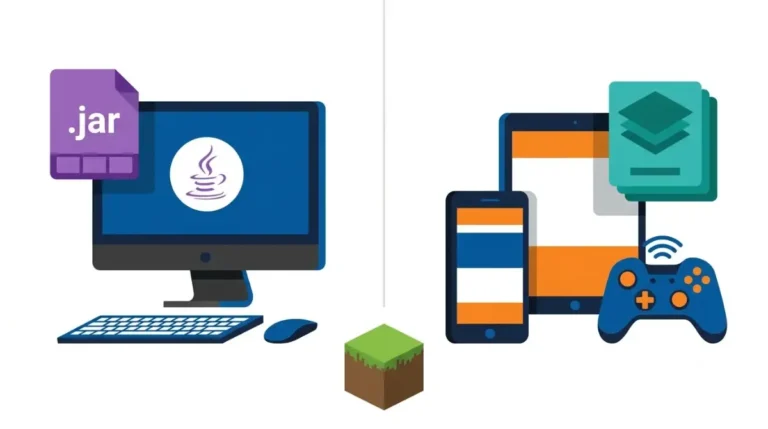
Windows: the .exe path
You run an .exe file.
macOS or Linux: the .jar path
You run a universal .jar and may need Java first.
Other launcher, server or Bedrock: not this guide
Fabric’s install guide covers the official Minecraft Launcher, and Fabric mods are for Java Edition. Comparing loaders? Read our Fabric versus NeoForge comparison.
ℹ️ Before you continue: Fake Fabric download pages and malware mod sites exist; Fabric’s guide warns that many sites advertising mods spread malware. Use fabricmc.net for the installer and trusted sources for mods (Section 6).
What you need before you run the installer
On Windows, no separate Java is needed: the .exe installer uses the Launcher’s own Java.
| Your system | Installer file | Separate Java needed? |
|---|---|---|
| Windows | .exe | No: Launcher’s Java |
| macOS | Universal .jar | Yes, if missing |
| Linux | Universal .jar | Possibly |
Source: Fabric docs, labelled 26.2.
🔍 Why it happens: A
.jaris a Java program, so Java must exist to start it.
Do you need to install Java?
Some third-party pages say always install Java; Fabric’s Windows guide disagrees. The current Java version is kept in our loader-status and Java notes in the mods pillar.
Which installer: .exe or .jar?
Windows takes the .exe; macOS and Linux take the universal .jar.
Download from fabricmc.net only
Fabric’s guide points to the Fabric website for the installer.
Install Fabric Loader on Windows
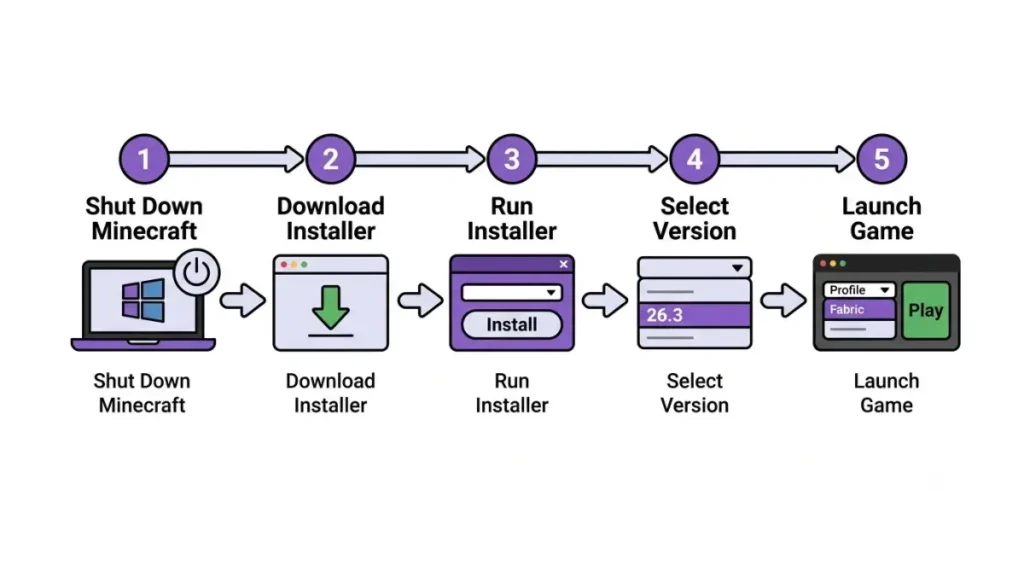
Fabric’s Windows route takes five steps.
The five steps
- Close Minecraft and the Launcher.
- On Fabric’s installer download page, choose the Windows
.exe. The page needs JavaScript switched on. - Run the file.
- Pick Minecraft 26.3, keep Create Profile ticked, and click Install.
- In the Launcher, choose the Fabric profile from the version dropdown and press Play.
Source: Fabric docs, Windows page (labelled 26.2).
If the Fabric profile isn’t showing
🔧 Try this: Check Fabric’s two requirements: the Launcher was closed during install, and Create Profile was ticked. Fabric names no other cause, so neither do we.
Install Fabric Loader on macOS or Linux
Both use the universal .jar.
macOS: the .jar, the “Open Anyway” prompt and the Homebrew option
- Install Java if missing, close Minecraft and the Launcher, and download the universal
.jar. - Open it. If macOS can’t verify the file, choose Open Anyway under System Settings, Privacy & Security. Only do this for the fabricmc.net installer.
- Pick 26.3, keep Create Profile ticked, click Install, then choose the Fabric profile in the Launcher.
Homebrew users can run brew install fabric-installer instead.
Linux: run the .jar with Java
Install Java if needed and close the Launcher. In a terminal (a window for typed commands), run java -jar fabric-installer.jar with your file’s real name. Then follow the same install and profile steps.
Source: Fabric’s macOS and Linux install guides (labelled 26.2).
Add Fabric API and your first mod
Most mods need Fabric API alongside the loader.
Loader, Fabric API and mods: what’s what
Fabric Loader is what you installed. Fabric API is a separate download that Fabric’s mod-installation guide says most mods need; take the newest file listed for 26.3. A mod must match your Minecraft version, be built for Fabric, and be for Java Edition.
Mods folder by operating system
Use the path for your system:
| OS | Mods folder | Key detail |
|---|---|---|
| Windows | %appdata%\.minecraft\mods | Shortcut; no user name |
| macOS | ~/Library/Application Support/minecraft/mods | ~ is your home folder |
| Linux | ~/.minecraft/mods | ~ is your home folder |
Launch with the Fabric profile
Put both files in that folder, then start the Fabric profile.
Where each instruction comes from
| Instruction | Fabric page |
|---|---|
| Windows, macOS, Linux install | Installing Fabric |
| Fabric API, mods folder, matching | Installing Mods |
All CONFIRMED, labelled 26.2; no page says “26.3” for these steps.
Where it’s safe to download Fabric and mods
Fake installers and malware mod sites are the main risk.
Use the real download page
The installer comes from fabricmc.net; treat any other page offering one as unverified. See how to tell a real developer page from a fake download.
Trusted mod sources
Fabric says most authors publish on Modrinth and CurseForge, which check mods and remove malicious ones, and that many mod-advertising sites are malware. See Fabric’s guide to trustworthy mod sources.
What an antivirus check can’t promise
⚠️ Watch out: Fabric says Windows Defender and VirusTotal can be wrong, so a clean scan isn’t proof. If unsure, ask other players, such as in Fabric’s Discord.
When it still doesn’t work: mods, launchers and editions
Four dead ends, with documented next steps.
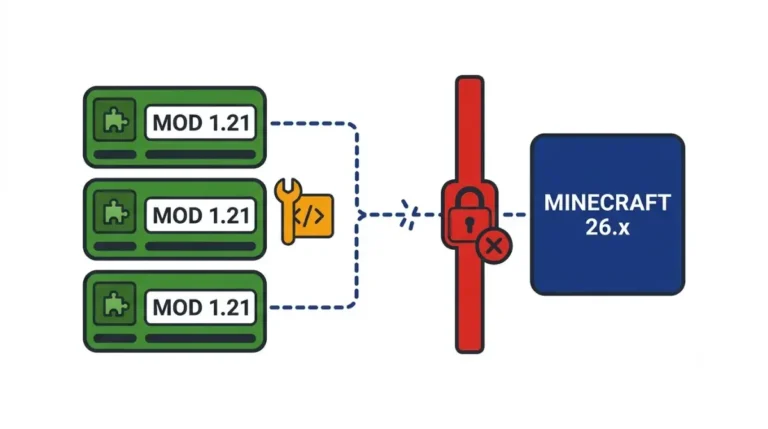
The mod hasn’t updated for 26.3
Fabric’s 26.3 announcement asks players to give mod developers time to update, and Fabric’s mods guide warns a mod may break between Minecraft versions. Check the mod page lists 26.3 and Fabric; our mods-not-loading fix guide covers more.
Using CurseForge, MultiMC or another launcher
Fabric’s guide covers the official Launcher; otherwise follow that launcher’s own documentation.
Bedrock and consoles
Fabric mods are for Java Edition. See why Java and Bedrock version numbers differ.
Back up your worlds
Fabric’s announcement recommends backing up worlds before updating.
Frequently asked questions
1. How do I install Fabric Loader on Minecraft Java 26.3?
To install Fabric Loader, run Fabric’s installer with the Launcher closed, pick 26.3, keep Create Profile ticked, then choose the Fabric profile.
2. Do I need Java before I install Fabric Loader?
Not on Windows, where the .exe uses the Launcher’s Java. To install Fabric Loader on macOS or Linux, the .jar may need Java first.
3. Should I download the Fabric .exe or .jar?
Windows players install Fabric Loader with the .exe; macOS and Linux players use the universal .jar from fabricmc.net.
4. Is Fabric Loader the same as Fabric API?
No. Fabric Loader runs mods, while Fabric API is a separate download that most Fabric mods need as a dependency.
5. Where is the Fabric mods folder?
After you install Fabric Loader, use %appdata%\.minecraft\mods on Windows, ~/Library/Application Support/minecraft/mods on macOS, or ~/.minecraft/mods on Linux.
6. Why can’t I see the Fabric profile after I install Fabric Loader?
Check Fabric’s two requirements: the Launcher was closed during install, and Create Profile was ticked. Fabric documents no other cause.
7. Does Fabric Loader work on Bedrock or consoles?
No. Fabric mods are for Java Edition, and this guide to install Fabric Loader covers Java only.
8. Will my older Fabric mods work after I install Fabric Loader for 26.3?
Only if the mod supports 26.3. Fabric’s guide warns that a mod working on one Minecraft version may break on another.
9. Is it safe to install Fabric Loader and mods?
Use fabricmc.net and trusted sources like Modrinth and CurseForge, and remember antivirus scans can be wrong. Next step: read Fabric’s trustworthy-mods guide.
10. Can I install Fabric Loader through CurseForge or MultiMC?
Fabric’s guide to install Fabric Loader covers the official Minecraft Launcher; for other launchers, follow that launcher’s own documentation.
Before you download your first mod
Check that the mod’s page lists 26.3 and Fabric as its loader. If it doesn’t, wait for the developer to update rather than forcing an older file, and keep a backup of your world.