Are Your Minecraft Mods Working in 26.3? Loaders and Java 25

Minecraft mods and Java 25: the game has required it since 26.1. What changed in 26.3 is SDL3, so see which loaders have builds.
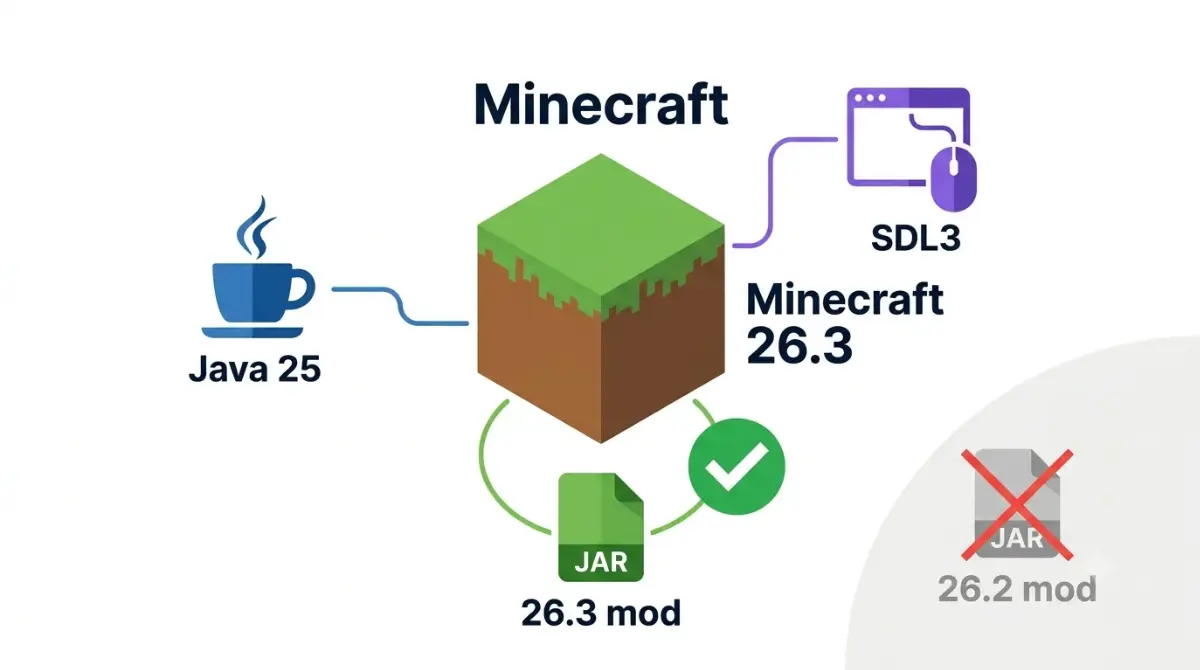
Table of Contents
Minecraft 26.3 mods: quick answer
📌 Quick answer: Yes: on Fabric, NeoForge and Forge, if the mod has a 26.3 build. Minecraft 26.3 requires Java 25 (unchanged since 26.1) and swapped GLFW for SDL3, so mods built for 26.2 can fail at launch. Check the loader table below for what’s available today.
🕒 Verified against: Minecraft Java Edition 26.3 “Wilderness Bound” (released 15 Sep 2026), checked 12 Oct 2026 · Stability: Volatile (loader and mod status).
Version stamp
The stamp and two status tables change fastest.
How this page was checked
This article is source-verified, not hands-on tested. Claims come from official notes, files and named developer notes, tiered Confirmed, Reported or Unconfirmed.
ℹ️ Before you continue: Mods are programs that run on your PC, and fake mod or loader sites can carry malware. Download only from hosts that vet uploads, such as Modrinth or CurseForge, and ask someone you trust first. Younger players: an adult should review the sources.
Which 26.3 mod situation are you in?
This page covers Minecraft: Java Edition on PC only. Mixed up editions? See how Java and Bedrock version numbers differ.
Upgrading a modded world
Check the status tables, then the 26.2 jars section. Back up first.
New to mods
Start with Java, installing and safe sources.
Crashing at launch
Go to the crash checks.
Running a server
The server section covers Java 25 and the whitelist default.
Building or porting mods
See the SDL3 section and Fabric’s developer post. Parents: see safe sources.
Does Minecraft 26.3 need Java 25?
Yes. Minecraft 26.3 requires Java 25, the same as 26.1 and 26.2. Mojang’s 26.3 launcher metadata lists Java major version 25 for the game.
What 26.3 requires
✅ Confirmed: Mojang’s launcher metadata for 26.3 (release time 15 Sep 2026) declares Java major version 25, runtime component
java-runtime-epsilon. Checked 12 Oct 2026.
Java 25 is not new in 26.3
Some pages present Java 25 as a 26.3 change. It is not. Fabric’s player documentation for 26.1 and NeoForged’s post on the 26.1 snapshots both put Java 25 at the start of the 26.x line.
Pages that still list Java 21 for 26.3, including some NeoForge server pages, are out of date.
Do you need to install Java yourself?
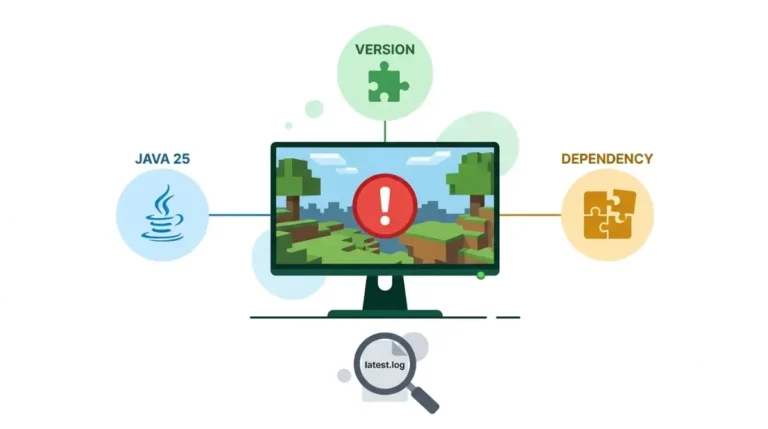
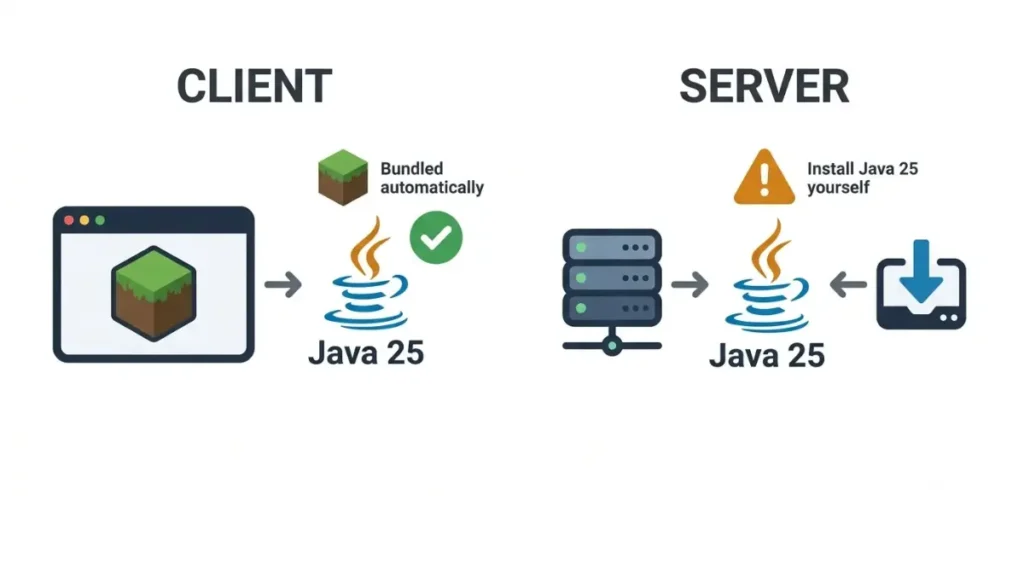
🔍 Why it happens: The official Minecraft Launcher ships its own copy of Java, so a normal launch needs nothing extra. Java 25 only becomes your job when you run the Fabric JAR installer, a server JAR, or a launcher that does not manage Java for you (Fabric Documentation).
Do not download Java from a random site. Use your launcher’s bundled Java wherever you can.
What SDL3 changes in 26.3 and what it breaks
SDL3 replaced GLFW in Java Edition 26.3. Per Mojang’s Java Edition 26.3 release notes, SDL3 now handles window management, input and platform integration, the jobs GLFW did before.
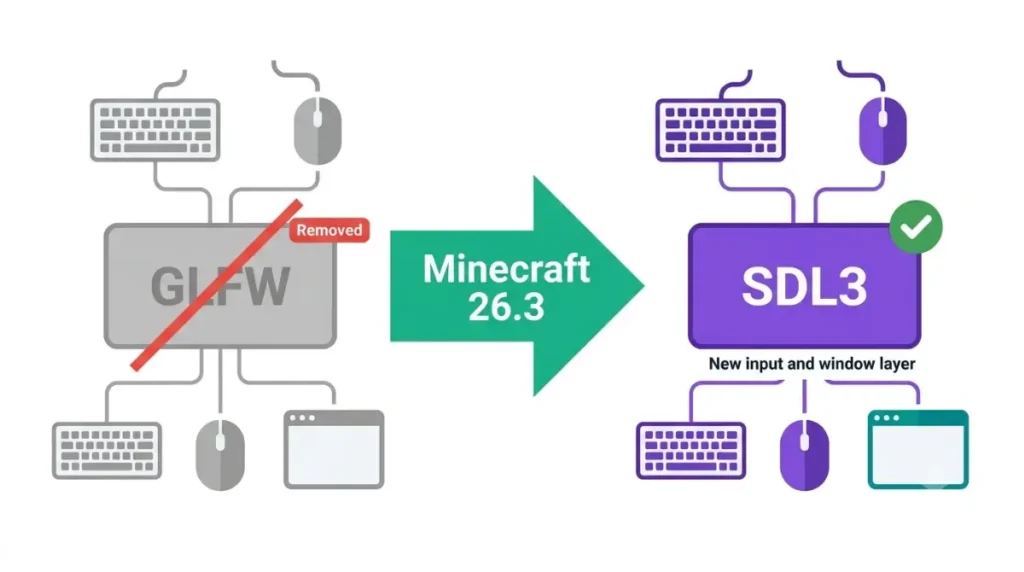
What Mojang’s notes say changed
✅ Confirmed: Player-facing changes listed in Mojang’s 26.3 release notes, published 15 Sep 2026.
- The Raw Input setting is removed, and the mouse is always relative in game.
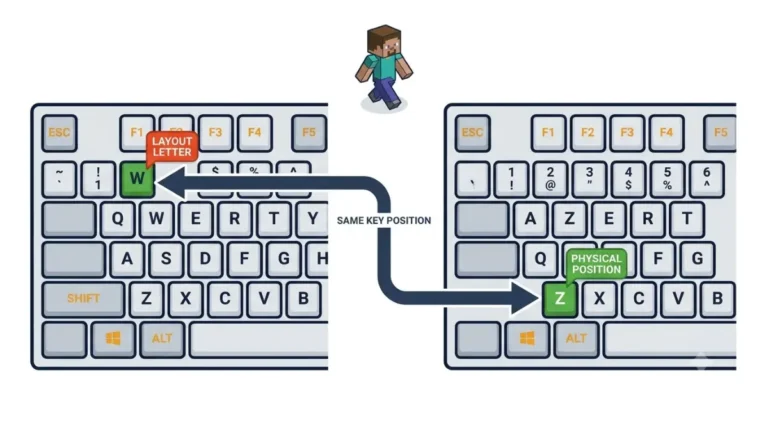
- Key bindings use physical key positions (SDL scancodes), while text shortcuts use layout-dependent SDL keycodes.
- Borderless Fullscreen is the default, switching fullscreen modes needs no restart, and the cursor is confined in Exclusive Fullscreen.
- The minimum window size is 320×240, and a new Quit Shortcuts option is added.
- Linux now prefers Wayland, and macOS gains right-click emulation and menu and Dock visibility options.
Why mods feel it: key codes and mouse buttons
Fabric’s 26.3 post says GLFW is removed and some constants, including all mouse buttons, changed. Mods should use InputConstants, and custom text widgets must notify TextInputManager.
In plain terms: a mod that stored a number for a key or mouse button now points at the wrong input.
| What changed | What breaks | Who is affected |
|---|---|---|
| GLFW removed, SDL3 in its place | Mods that call GLFW directly cannot run as built | Mod users (need a 26.3 build) and mod authors |
| Key and mouse constants changed | Hard-coded key or button numbers point at the wrong input | Mod authors; players of mods with keybinds |
Custom text widgets must notify TextInputManager | Mods with their own text boxes need a port | Mod authors |
| Raw Input removed; fullscreen default changed | Nothing documented as failing; settings differ | All players, including Linux and macOS |
🔎 Unconfirmed — Reported: Mod developers CrowBar (Modrinth release note), CMD_Delete (GitHub release note) and Balm (migration notes), read 12 Oct 2026, say GLFW-dependent or hard-coded-key builds need separate 26.3 builds. If a specific mod’s own notes say otherwise, the mod’s notes win.
What the notes do not claim
Mojang’s notes give no reason for the switch and no performance claim for SDL3. They describe the new order-independent transparency as expected to cost more performance, so claims that SDL3 makes shaders run faster have no official backing here. This page makes no performance claim either.
One more check: Mojang’s 26.3 launcher metadata lists LWJGL’s SDL library (lwjgl-sdl 3.4.3) and no GLFW library, as seen 12 Oct 2026.
Fabric, NeoForge, Forge, Quilt: 26.3 status
Is Forge available for Minecraft 26.3? Yes. Forge’s official files page lists 26.3 builds from 19 Sep 2026 onward, and the table below gives the newest one and its date.
26.3 loader status table (checked 12 Oct 2026)
| Loader | 26.3 status | Newest build seen | Date | Tier and source |
|---|---|---|---|---|
| Fabric Loader | Stable; Fabric says install the latest stable | 0.19.5 | 15 Sep 2026 | ✅ Confirmed, Fabric’s 26.3 post |
| Fabric API | Listed for 26.3 | 0.162.0+26.3 | 6 Oct 2026 | ✅ Confirmed, Modrinth listing |
| NeoForge | Builds exist; every 26.3 build is labelled beta | 26.3.0.64-beta | Not checked | ✅ Confirmed, NeoForged Maven index |
| Forge | Builds published; “Latest” offered, no “Recommended” | 66.0.10 | 9 Oct 2026 | ✅ Confirmed, Forge’s files page |
| Quilt | Not confirmed | None found | n/a | 🔎 Unconfirmed |
Fabric’s 15 Sep post is the newest Fabric statement on loader versions we found, so check Fabric’s site before installing. Fabric API 0.161.0+26.3 (18 Sep 2026) is the previous build.
Some third-party pages still say Forge downloads stop at 26.2, show an older Forge build as newest, list NeoForge as “stable”, or show 26.2 as the current release. The official sources in the table show otherwise.
Want a note when a loader’s status changes? Join The Checkpoint Codex newsletter.
How to read the NeoForge beta label
Is NeoForge stable for 26.3? Not by its own label: every 26.3 build in the official Maven index carries the beta suffix. NeoForged’s explanation of its beta naming, written for 26.1, says a version’s first release is x.0.0-beta, then x.0.n-beta.
The 26.2 line dropped the suffix at 26.2.0.57 and the 26.1.2 line at 26.1.2.71. A suffix-free 26.3 build may follow the same pattern, but that is our inference from those two lines, not an announcement.
Forge on 26.3: what the downloads page shows
Forge’s 26.3 downloads page lists builds from 66.0.0 (19 Sep 2026) to 66.0.10 (9 Oct 2026). On 12 Oct it offered a “Latest” download and no “Recommended” one.
Does Quilt support 26.3?
Not confirmed. We found no first-party statement that Quilt Loader or Quilted Fabric API support 26.3, so this page does not list Quilt as supported.
Quilt’s public game-version index lists 26.3, but that is version metadata, not a support statement.
🔎 Unconfirmed — Rumour: Some version-list sites show Quilt for 26.3 without citing a source. If Quilt publishes loader and library builds for 26.3, the Quilt row becomes Confirmed; until then, check any Quilt mod’s own page. Checked 12 Oct 2026.
What the 26.4 snapshots mean for your mod list
Fabric API’s Modrinth listing declares compatibility with 26.4 snapshot 3 (seen 12 Oct 2026). That says nothing about your other mods, and no source we found gives a 26.4 release date. For the latest, see tracking the 26.4 snapshots; stay on 26.3 builds until your mods list 26.4.
Are Fabric API, Sodium and Iris ready for 26.3?
Builds exist for Fabric API, Sodium and Iris on Fabric. Sodium’s newest build is an alpha, and Iris lists Sodium as a required dependency.
Core mod status table (checked 12 Oct 2026)
| Mod | Newest 26.3 build seen | Date | Channel | Source and tier |
|---|---|---|---|---|
| Fabric API | 0.162.0+26.3 | 6 Oct 2026 | Release | ✅ Modrinth listing |
| Sodium (newest) | 0.9.3-alpha.1, Fabric | 20 Sep 2026 | Alpha | ✅ Modrinth listing |
| Sodium (newest release) | 0.9.2, Fabric | 15 Sep 2026 | Release | ✅ Modrinth listing |
| Iris | 1.11.7, Fabric and NeoForge | 30 Sep 2026 | Release | ✅ Modrinth listing; requires Sodium |
An older Sodium pre-release note said Iris was not yet compatible. Iris builds for 26.3 have been listed since 15 Sep 2026, and 1.11.7’s changelog says it fixes many 26.3 bugs.
Library mods and minimum loader versions
Library mods set their own floors. Architectury API 22, per its 26.3 porting page (build date not checked), asks for Fabric Loader 0.19.5, Fabric API 0.160.5 and NeoForge 26.3.0.0-beta.
Why “compatible” means the exact build
A listing for 26.3 means a build compiled for 26.3, not a promise about every version of the mod. Match game version, loader and dependencies. An “alpha” channel is the author’s own label for a pre-release build.
Can you use 26.2 mods on Minecraft 26.3?
Usually not. A mod built for 26.2 can fail on 26.3 for three reasons: GLFW, which many mods call directly, is gone; key and mouse-button constants changed; and some Fabric API registries were removed. Use a build made for 26.3.
Short answer: mods are built per version
A mod targets one Minecraft version and one loader. Fabric Documentation tells players to check both before installing.
- Does the mod have a 26.3 build for your loader? Install that build.
- If not, stay on 26.2 until it does.
What breaks: GLFW, key codes, removed APIs
Fabric’s post for mod developers confirms GLFW is removed and constants changed. It also lists Fabric API removals: FuelRegistry, CompostingChanceRegistry, FabricPotionBrewingBuilder, and the Strippable, Tillable and Flattenable block registries. Mods that use them need code changes from their authors.
How a mismatch shows up
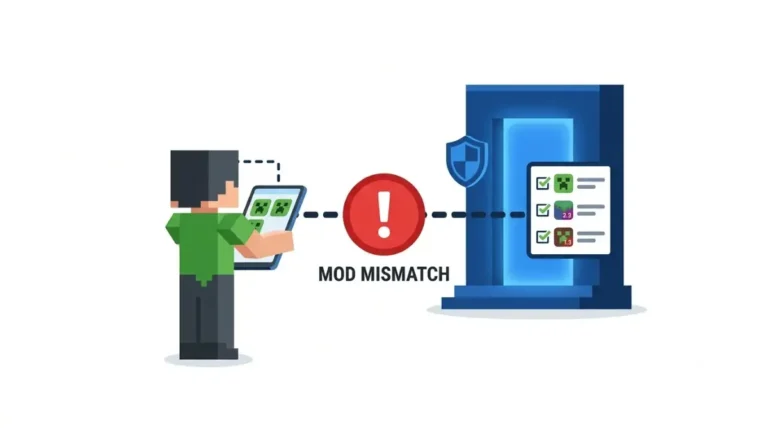
🔎 Unconfirmed — Reported: CrowBar’s Modrinth release note (read 12 Oct 2026) says its 26.2 builds stopped declaring 26.3 compatibility because they depend on GLFW, so loaders report a version mismatch rather than a crash. If another mod behaves differently, its own notes win.
If the game does crash, the crash checks section covers what to read.
Back up before you update
Fabric’s post asks players to be patient and to back up worlds. Find your world’s save folder and copy it somewhere safe before you update.
How to install 26.3 mods and check they loaded
These steps follow Fabric Documentation’s Installing Mods page. We did not test them. The page was still labelled for 26.2 when we checked.
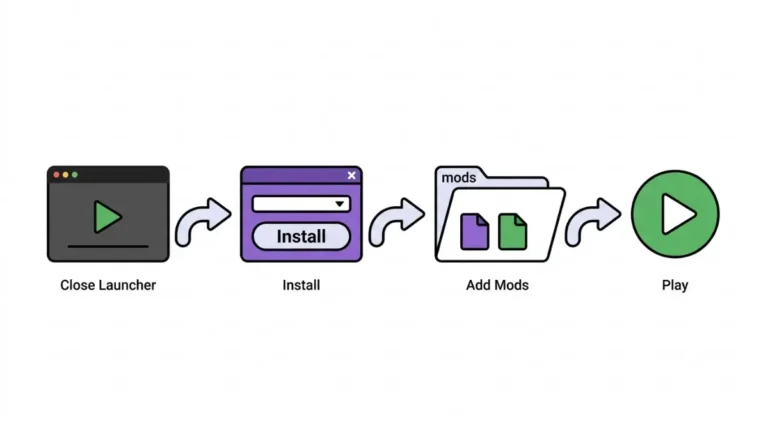
Install steps (Fabric, from Fabric’s guide)
- Download the mod from a source in the safe-sources section. Confirm it supports Minecraft 26.3, targets Fabric and is for Java Edition.
- Download Fabric API as well, because most Fabric mods need it.
- Put each
.jarfile in the mods folder:%appdata%\.minecraft\modson Windows,~/Library/Application Support/minecraft/modson macOS,~/.minecraft/modson Linux. - Open the Minecraft Launcher, choose the Fabric profile from the dropdown at bottom left, and press Play.
Forge and NeoForge: use their own installers
Forge’s downloads page offers an installer, and NeoForge has its own instructions. A mod for one loader does not load on another.
Check that it worked
Check your loader’s loaded-mods list if it has one, then the latest log for load errors. Download only from hosts that vet uploads; the safe-sources section explains.
Minecraft 26.3 crashing with mods: what to check
These checks come from official documentation and developer notes, not from testing.
Six checks, in order
🔧 Try this, in order:
- Java. Confirm Java 25 if you use a manual installer, a server JAR or a launcher that does not manage Java.
- Jar and loader. Confirm every jar is built for 26.3 and for your loader.
- Dependencies. Add Fabric API for most Fabric mods, plus any library the mod names; library minimums are in the core-mod section.
- Loader build. Update your loader to the minimum the mod’s page states.
- 26.2-only mods. Remove or replace any mod whose page does not list 26.3.
- Logs. Read the log and crash report; Fabric Documentation has player pages on reading crash reports and uploading logs.
🔎 Unconfirmed — Reported: TroubleChute’s server guide (read 12 Oct 2026) names
UnsupportedClassVersionErroras the symptom of too-old Java. One NeoForge mod’s developer notes ask for a loader build later than the first beta. Both are single-source.
What to send when you ask for help
Send the Minecraft version, loader and exact build, Java version, your mod list with versions, and the crash report or latest log. That is our advice, not a documented requirement.
Running a modded 26.3 server: Java and whitelist
Java 25 on servers and hosts
A server JAR needs Java 25 (Mojang’s launcher metadata). Hosting pages that list Java 21 for 26.3 are out of date. Server loader availability is in the loader table above.
The whitelist is on by default
Mojang’s 26.3 release notes say the white-list server property is now true by default. Add your players before you open the server.
Where to download 26.3 mods without malware
Use hosts that vet uploads
Per Fabric Documentation’s guide to finding trustworthy mods, most authors publish to Modrinth and CurseForge, which check uploads and act on reports. The page was last modified 15 Jan 2026 and labelled 26.2 when we checked.
If a site isn’t one of them
⚠️ Watch out: Sites claiming to host Minecraft mods can be malware sites. A mod runs as code on your PC, so ask others before using an unfamiliar source.
The same habits apply to any Minecraft download: judging whether a Minecraft seed site is safe shows how to trace a download back to its developer.
What antivirus can and cannot tell you
Fabric Documentation says antivirus and VirusTotal can help but are not fully reliable. A clean scan is not proof a file is safe. If a younger player installs mods, an adult should review the sources they use; that is our advice.
Minecraft 26.3 mod questions, answered
1. What Java version does Minecraft 26.3 need?
Minecraft 26.3 needs Java 25, as it has since 26.1. The launcher bundles it; manual installers and server JARs need Java 25 installed.
2. Did Minecraft 26.3 switch to SDL3?
Yes. Mojang’s 26.3 release notes say SDL3 replaced GLFW for window management, input and platform integration.
3. Can I use 26.2 mods on Minecraft 26.3?
Usually not. Mods are built per version, and GLFW’s removal and changed key constants mean 26.2 builds can fail. Use a 26.3 build.
4. Is Forge available for Minecraft 26.3?
Yes. Forge has published builds for 26.3. The loader table shows the newest build and the date it was checked.
5. Is NeoForge 26.3 stable?
Not by its own label, since its 26.3 builds are tagged beta. The loader table shows the current state and date checked.
6. Does Quilt support Minecraft 26.3?
Not confirmed. We found no first-party statement of Quilt support for 26.3, so the loader table lists it as unconfirmed.
7. Do I need Fabric API for 26.3 mods?
Most Fabric mods do. Download the 26.3 build of Fabric API and check each mod’s page for other required libraries.
8. Where should I download Minecraft mods safely?
Download mods only from hosts that vet uploads, like Modrinth and CurseForge, per Fabric’s guide. Antivirus is not fully reliable; ask others about other sources.
What to do next with your 26.3 mod list
Your next step
Match every jar to 26.3 and your loader, install Java 25 only for manual installers or servers. Before you download anything, confirm the host vets uploads.
Once the mods are sorted, check your worlds: whether your old Minecraft seeds still work after updating, whether 1.21 seeds still match in 26.3, and whether an update changes world terrain. Want an alert when a loader’s status changes? Join The Checkpoint Codex newsletter.