Does a Minecraft Update Change Your World? The Current Answer

A Minecraft update touches more than new terrain: Java 26.3 converts signs and maps on load. See which changes Mojang confirms and which are only reported.
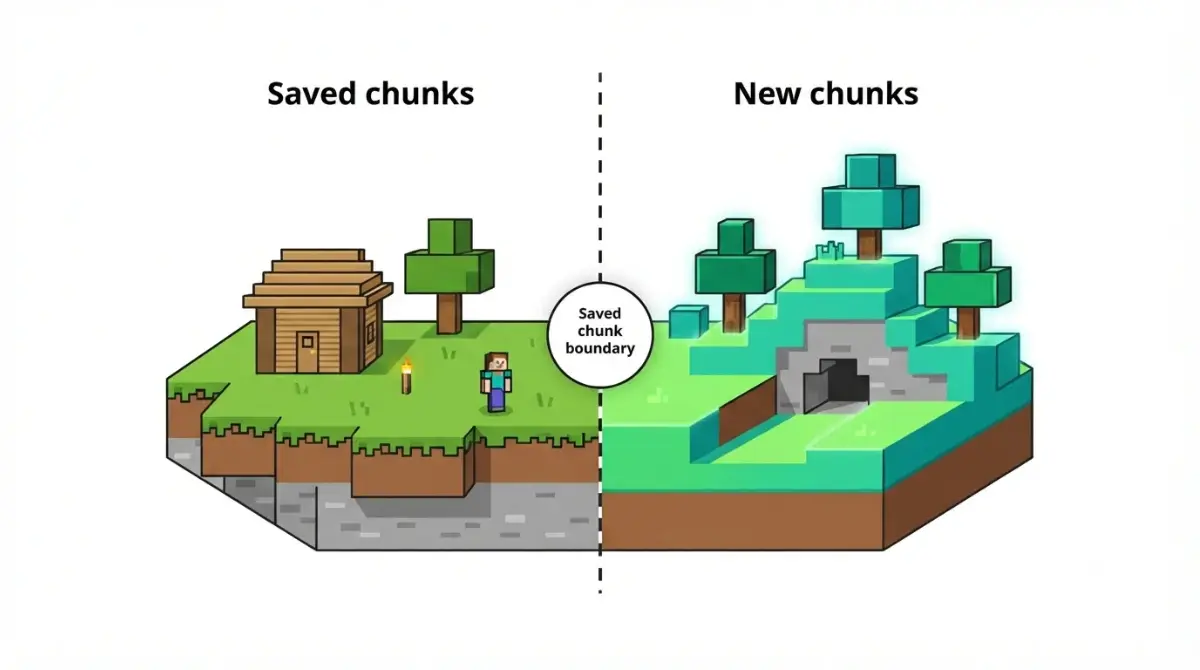
Table of Contents
📌 Quick answer: Updating doesn’t redo terrain you’ve already explored. Reports say saved chunks stay as they are; Mojang’s current release notes only confirm new content for chunks that don’t exist yet, plus conversions of saved data like signs and map data. Back up first: switching back to an older version is reported to break worlds.
🕒 Verified against: Minecraft Java Edition 26.3 and Bedrock Edition 26.50 (hotfix 26.52), checked October 9, 2026 · Stability: Semi-stable.
Does updating Minecraft change your existing world?
An update can touch three things in a world you already have: terrain, structures and features, and saved data. Everything here is read from Mojang’s notes and named sources, not played.
If you’ve explored your world for a long time
Start with the next two sections. The current Java and Bedrock version numbers in the pillar’s version map stay correct there.
If you play Bedrock, console or Realms
The Bedrock section covers Mojang’s changelog on older worlds.
If you run a server or use mods
The edge-cases section covers test builds and mods.
Why chunks you’ve already explored stay the same
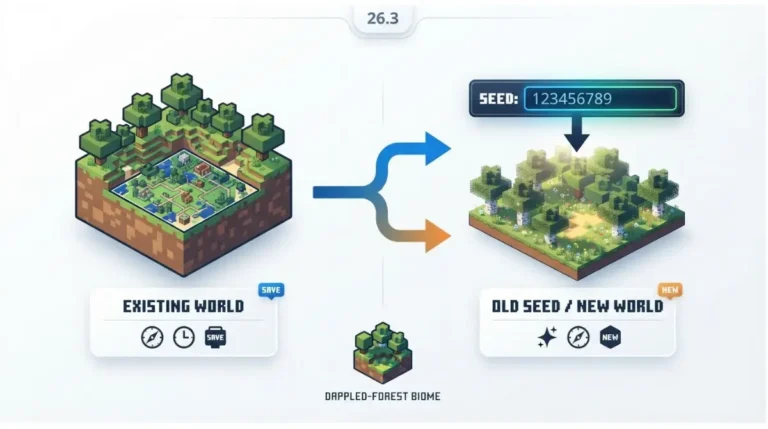
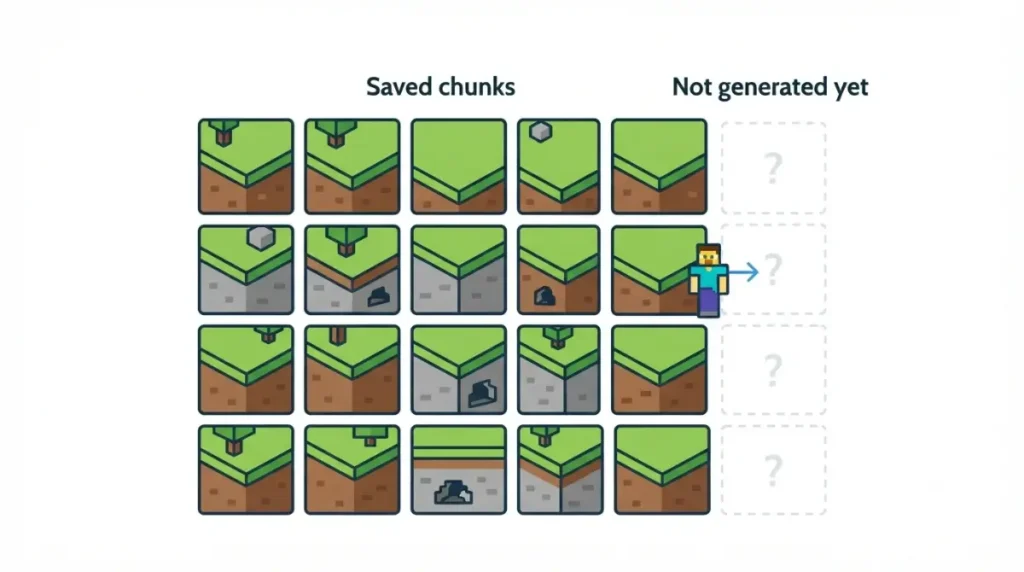
No — chunks your world has already generated are reported to stay as they are; only chunks it hasn’t generated yet use the newer rules.
How a world gets built, chunk by chunk
🔍 Why it happens: Minecraft builds its world in chunks, fixed-size slices that generate when you first get near them. The Minecraft Wiki’s chunk page says chunks generate around players as they enter the world and travel.
What counts as “explored”
Any chunk your world has already generated.
🔎 Unconfirmed — Reported: Shockbyte, Sportskeeda and minecraft.how say updates change only newly generated chunks. Mojang’s Java 26.3 notes we reviewed (October 9, 2026) don’t state it. If that’s wrong, explored terrain could change on load.
Your seed stays; the generator can change
The wiki says a chunk generates the same only “as long as the map generator and version number remain the same.” Your seed stays; later-generated ground may differ.
What an update does change in an old world
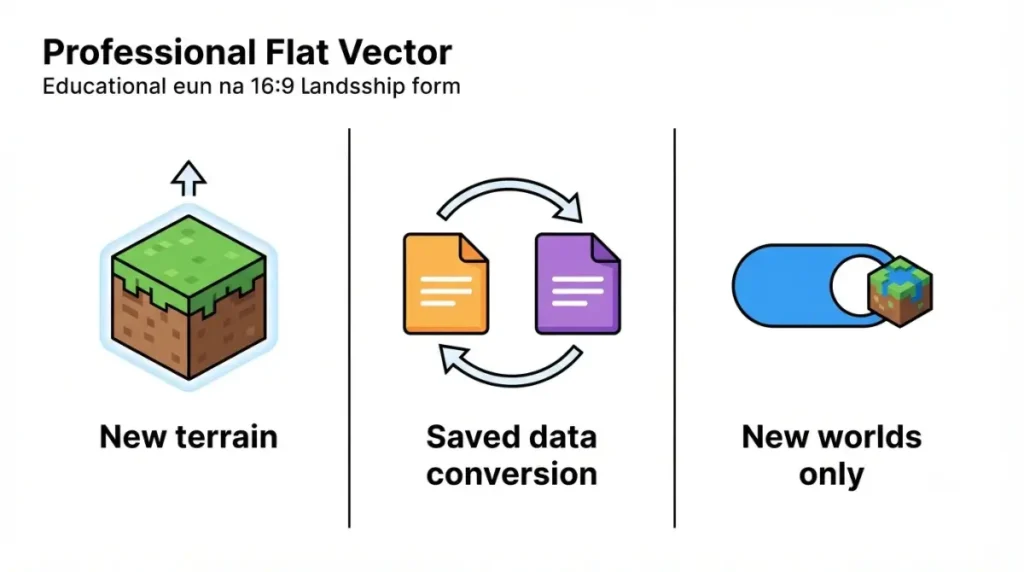
An update touches three kinds of data: terrain not yet generated, saved data converted on load, and behavior Mojang version-gates.
The table: terrain, structures, saved data
As of Java 26.3 and Bedrock 26.50, checked October 9, 2026.
| Data type | Key detail | Source | Tier |
|---|---|---|---|
| Terrain not yet generated | Newer generation rules apply | Shockbyte, minecraft.how | 🔎 Reported |
| Terrain already generated | Reported unchanged; none listed in notes we read | Shockbyte, minecraft.how | 🔎 Reported |
| Signs (Java) | Pre-26.3 signs load with allow_op_features true | Mojang’s Java release notes | ✅ Confirmed |
| Map data (Java) | Existing maps lose map_color on load | Java 26.3 notes | ✅ Confirmed |
| Block connections (Bedrock) | Fixes for lost connection states, stuck older chunks | Mojang’s Bedrock changelog | ✅ Confirmed |
| Block updates (Bedrock) | Some changes gated to new worlds | Bedrock 26.50 changelog | ✅ Confirmed |
| Add-ons (Bedrock) | Achievement loss in older worlds, fixed in 26.52 | 26.52 hotfix changelog | ✅ Confirmed |
For the biome version, see how the new biome shows up in an old world.
What Mojang’s notes don’t say
Mojang’s notes we reviewed don’t describe a change to terrain your world has already generated. That is an absence in our copies, not a Mojang promise.
What happens where old and new terrain meet
Mojang has handled this border before.
What past generator changes did at the border
✅ Confirmed: Mojang’s 21w43a snapshot notes (October 27, 2021) say terrain generated near old chunks is adjusted to “better match the existing terrain at the borders” when you upgrade a world.
The Minecraft Wiki’s world-generation history lists an earlier terrain overhaul in snapshot 13w36a (2013).
What the notes we read say about this release
The Java 26.3 notes we reviewed list no blending change, so we can’t say whether Mojang’s 2021 snapshot behavior applies to 26.3’s new content. We can’t report what any border looks like; we didn’t play.
How to back up your world before you update
Close Minecraft, then copy your world: on Java, copy its folder in the saves directory; on Bedrock, use Copy World or Export World in the world’s settings.
- Close Minecraft.
- Copy the world (steps below).
- Note your seed: find your seed from the world file.
- Open the world in the new version; don’t reopen it in an older one.
🔎 Unconfirmed — Reported: Shockbyte says loading a world in an older version “will cause world corruption issues,” and WiseHosting warns similarly. We found no Mojang statement. If wrong, going back could be safe; back up anyway.
Back up on Java
Copy its folder from the saves directory (Sportskeeda).
Back up on Bedrock
Use Copy World or Export World (Shockbyte).
Test builds belong in their own folder
✅ Confirmed: Mojang’s snapshot post (September 22, 2026) warns that testing versions can corrupt your world, so back up or use a separate folder.
Does Bedrock treat old worlds differently?
Partly — Mojang’s Bedrock changelog applies some block-update changes only to new worlds, and existing worlds keep the earlier behavior.
What Mojang keeps for existing Bedrock worlds
✅ Confirmed: Mojang’s Bedrock 26.50 changelog (September 15, 2026) gates stair changes to new worlds on “base game version 1.26.40 and later,” and thin-fence and trip-wire changes to “1.26.50 and later.” Existing worlds keep the prior client-only update behavior.
“Version-gated” means Mojang turns a change on only for worlds created in that version or later.
Why Bedrock’s number isn’t Java’s
Identifiers like 1.26.40 are not edition numbers, and Bedrock 26.50 is not Java 26.50. See why Bedrock’s number isn’t Java’s in the pillar’s version table.
Edge cases: test builds, mods and modded worlds
The release answer has limits.
Test builds and previews
A test build can differ from a release: Mojang’s snapshot notes have listed changes touching old chunks. Read what a test-build biome means for your world first.
Mods, data packs and custom generation
The pillar reports that mods and data packs change generation, and that MC Seed View says its tools cover only unmodded worlds. Test any generation pack on a copy.
What this article could not check
We didn’t play any version, generate any seed or observe any border. Our copy of the Java 26.3 notes ended before a fixed-bugs list. We found no Mojang statement on explored chunks, backups or going back a version.
Minecraft update and world terrain questions
1. Does a Minecraft update change terrain I’ve already explored?
Explored terrain is reported to stay as it is after a Minecraft update; newer generation rules apply only to chunks not yet created.
2. Does Mojang confirm that explored chunks stay the same?
Not in the notes we reviewed: Mojang lists new content and data conversions; the explored-chunk rule comes from third-party reports.
3. What does a Minecraft update change in an old world?
Saved data converts on load, such as Java sign and map data; new terrain is reported to reach only chunks not yet generated.
4. Does Bedrock treat old worlds differently after a Minecraft update?
Partly: Mojang’s Bedrock changelog applies some block-update changes only to new worlds, so existing worlds keep the earlier behavior.
5. Does my seed change after a Minecraft update?
Your seed stays; the Minecraft Wiki says a chunk generates the same only while generator and version stay the same.
6. Does a Minecraft update blend new terrain with old chunks?
Mojang’s 2021 snapshot notes say new terrain near old chunks is adjusted to match; the 26.3 notes we reviewed list no blending change.
7. How do I back up my world before a Minecraft update?
Java: copy the world’s folder from the saves directory. Bedrock: use Copy World or Export World in the world’s settings, before opening it.
8. Can I go back to an older version after a Minecraft update?
Hosting providers report an older version can corrupt an upgraded world; we found no Mojang statement, so restore a backup.
9. Is it safe to open my main world in a Minecraft update test build?
Mojang warns testing versions can corrupt a world, so back up and keep test worlds in a separate folder.
10. Do mods or data packs change what a Minecraft update does?
The pillar reports they change generation and seed maps cover only unmodded worlds, so test on a copy.
Conclusion
Explored terrain is reported to stay put, and Mojang confirms the data conversions in the table. Back up your world before opening it in a new version. Subscribe for a note when a drop changes how old worlds behave.