Minecraft Mod Client or Server Side Labels, Read the Exact Way

Client or server side? A Fabric mod set to “server” won’t load in singleplayer or LAN, per Fabric’s docs. Read any mod’s side before you install it.
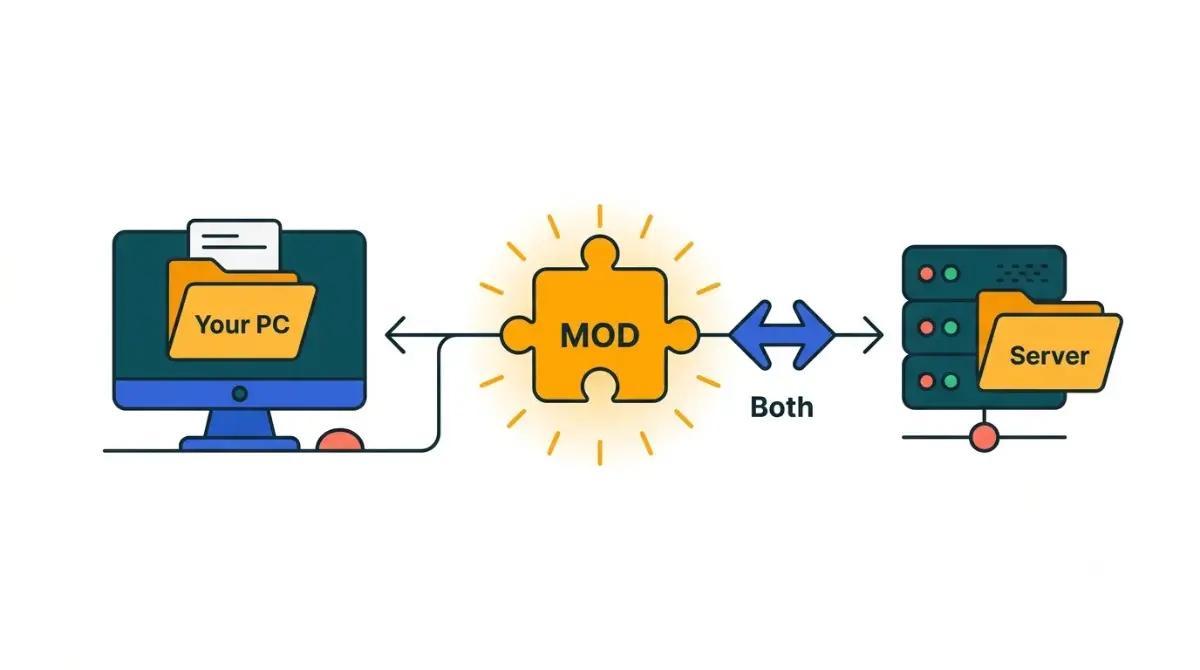
Table of Contents
📌 Quick answer: Check the download page: Modrinth lists Supported environments and CurseForge lists Environment. Inside a Fabric jar,
fabric.mod.jsonreadsclient,serveror*(all). A client-only mod goes in your own mods folder only; a client-and-server mod must be on both. Authors set these labels, so if the description disagrees, ask the author.
🕒 Verified against: Minecraft: Java Edition 26.3, checked 17 Oct 2026 · Stability: Semi-stable.
Where does this mod go: your PC, the server, or both?
Every Minecraft mod belongs in your own mods folder, the server’s, or both. The author declares which; here’s where to read it.
Running a server for friends
Sort your list with the label table, then follow the install steps. First, confirm each jar matches your version and loader: see which loaders have 26.3 builds today.
Joining someone else’s server
Ask the owner for their mod list. Every mod they mark client and server must also be in your game.
Building a server pack from a modpack
Skip to reading the jar; it catches mods whose pages say nothing.
This page covers Java Edition only; Bedrock add-ons work differently.
What client side and server side mean in Minecraft
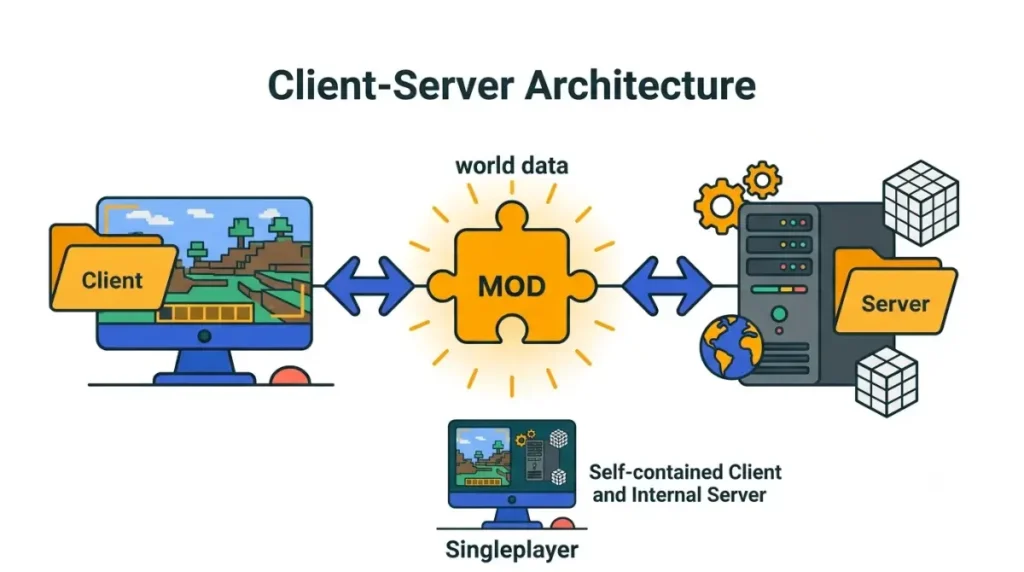
Minecraft splits its work between a client that draws the game and a server that runs the world.
Your game is a client, the server JAR is a server
Pressing Play starts the client. A server JAR starts a dedicated server, which lacks the game’s display code, per NeoForged’s explanation of physical and logical sides.
Singleplayer runs a server inside your game
In singleplayer, your game starts its own internal server and connects to it on the same machine.
Why a server-side mod usually works in singleplayer
Usually yes, with one exception. Modrinth says most server-side only mods also run in singleplayer, because your game hosts that internal server. Mods built only for dedicated servers don’t.
Modrinth’s nine environment labels, translated
Modrinth sorts every mod into one of nine environment labels, chosen by its author. Match the label on the mod’s page to a row below.
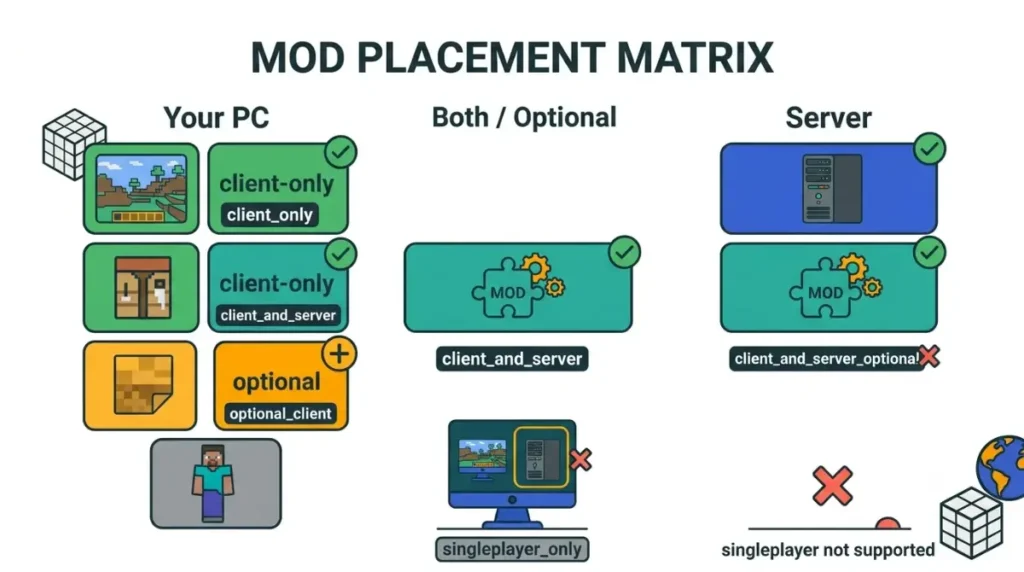
Where to install, label by label
| Modrinth label | API value | Your PC | Server | Key detail |
|---|---|---|---|---|
| Client-side only | client_only | Yes | No | Should work on vanilla servers. Example: Mod Menu |
| Server-side only · Works in singleplayer | server_only | Only for singleplayer | Yes | Example: YUNG’s Bridges |
| Server-side only · Dedicated server only | dedicated_server_only | No | Yes | Doesn’t work in singleplayer. Example: Better Fabric Console |
| Client and server · Required on both | client_and_server | Yes | Yes | Example: Cobblemon |
| Client and server · Optional on client | server_only_client_optional | Optional | Yes | A client copy adds features. Example: Polymer |
| Client and server · Optional on server | client_only_server_optional | Yes | Optional | A server copy adds features. Example: AppleSkin |
| Client or server · Works best on both | client_or_server_prefers_both | Either | Either | Fullest features on both. Example: No Chat Reports |
| Client or server · Works the same on either | client_or_server | Either | Either | No reason to install twice. Example: Entity View Distance |
| Singleplayer only | singleplayer_only | Yes | No | Doesn’t work in multiplayer. Example: LAN Server Properties |
Built by The Checkpoint Codex from Modrinth’s 28 Aug 2025 post; checked 17 Oct 2026.
Labels the old system couldn’t express
✅ Confirmed: Modrinth replaced its old client and server fields (each Required, Optional or Unsupported) with these nine options on 28 Aug 2025, and asked creators to re-check their settings. Source: Modrinth news post, 28 Aug 2025.
The dedicated-server-only and singleplayer-only rows are new, per Modrinth’s guide to its environment labels. Guides still teaching the old fields are out of date.
How to check a mod’s side in four places
Check these four places, in order:
- Modrinth: Supported environments
- CurseForge: Environment under Details
- The mod’s description and changelog
- Mod Menu’s Client badge in game
1. Modrinth: Supported environments
It’s on every project page. Mod Menu’s reads “Client-side” (checked 17 Oct 2026).
2. CurseForge: Environment in Details
Mouse Tweaks reads “Client”; Kotlin for Forge reads “Client & Server” (checked 17 Oct 2026). Neither value says whether a side is optional.
3. The mod’s description and changelog
Authors often say it outright: Mouse Tweaks’ author calls it purely client-side.
4. In game: Mod Menu’s Client badge
On Fabric, Mod Menu badges client-only mods automatically, per its own description.
No label anywhere? Read the jar.
Reading the jar: what each loader’s metadata says
A .jar file is a zip archive: copy it, open the copy with any zip tool, and read the metadata file.
| Loader | File in the jar | Field | Key detail | Docs written for |
|---|---|---|---|---|
| Fabric | fabric.mod.json (jar root) | environment | * everywhere (default) · client skipped on dedicated servers · server skipped on clients, including singleplayer and LAN | 26.2 |
| NeoForge | META-INF/neoforge.mods.toml + code | No single side flag | @Mod dist in code; each dependency’s side is CLIENT, SERVER or BOTH (default) | 26.1 |
| Forge | META-INF/mods.toml | clientSideOnly | true = skipped on dedicated servers; default false | 1.21.x |
| Quilt | quilt.mod.json | minecraft → environment | *, client, dedicated_server | Reported (see below) |
Fabric: the environment field
It’s a top-level line such as "environment": "client". If it’s missing, the default * loads the mod everywhere, per Fabric’s fabric.mod.json reference (written for 26.2). For the wider split, see how Fabric and NeoForge differ.
NeoForge: no single flag, check @Mod dist
NeoForged’s mod files reference (written for 26.1) has no mod-wide client-only switch, so lean on the host label. It doesn’t list displayTest, which older guides cite.
Forge: clientSideOnly
Forge’s mods.toml reference, written for 1.21.x, says true skips the mod on dedicated servers. We found no 26.3 Forge documentation confirming that’s unchanged.
Quilt: minecraft.environment
🔎 Unconfirmed — Reported: These values come from Quilt-parsing tooling (@xmcl/mod-parser, read 17 Oct 2026), not Quilt’s own spec, which we couldn’t open.
Installing by side, and what a wrong-side crash looks like
Install by label, then check the log if the server fails.
Your mods folder vs the server’s mods folder
🔧 Try this:
- Copy client-and-server, server-side and dedicated-server-only mods to the server’s mods folder.
- Keep client-side only and singleplayer-only mods on your PC.
- Optional and either-side rows work either way.
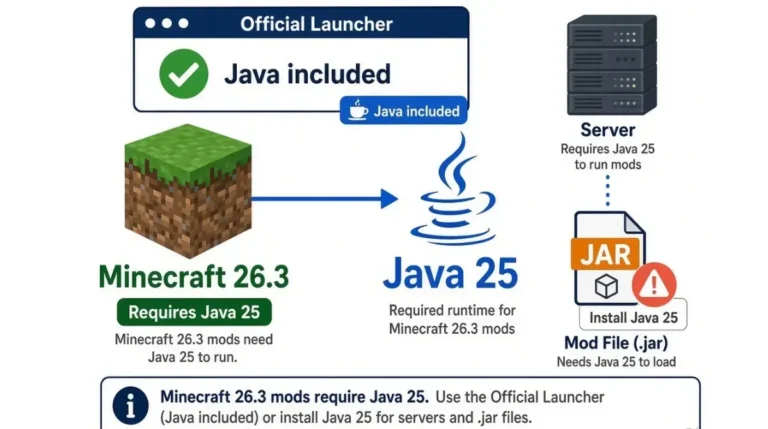
The server also needs the right Java; see the Java and whitelist settings for a 26.3 server.
What happens if a client mod lands on the server
If it’s labelled correctly, nothing: Fabric skips it, and so does Forge’s clientSideOnly (1.21.x docs). A crash means its client code ran anyway.
Reading a wrong-side crash line
Search the crash report for NoClassDefFoundError or ClassNotFoundException, common wrong-side errors per NeoForged, and remove the mod it names. Seeing a missing-mod message instead? Fix a missing dependency crash.
🔎 Unconfirmed — Reported: Forge 1.18.2–1.19.2 mod issue reports show
invalid dist DEDICATED_SERVERhere (read 17 Oct 2026); 26.3 wording may differ.
When the label is wrong, missing, or “unknown”
Labels are author-set: a strong hint, not a guarantee.
Labels are set by authors, not tested by hosts
Modrinth says creators mislabelled mods under its old system, and “unknown” tells you nothing. If notes and label disagree, the notes win; ask on the issue tracker.
Fabric’s * doesn’t mean required on both
* says where code can load, not where you must install it. A Fabric server mod also skips singleplayer, matching Modrinth’s dedicated-server-only row. That’s our reading of both sets of docs.
Realms and vanilla servers
Modrinth says client-side only mods should work on vanilla servers. Realms differs; see what Java Realms will and won’t run.
Minecraft mod client or server side: quick answers
1. What is a client-side mod in Minecraft?
A client-side mod runs only in your own game. Modrinth says client-side only mods should work on vanilla servers.
2. Do server-side mods need to be on my PC too?
No. Server-side only mods go on the server; “optional on client” means a client copy just adds extras.
3. Do server-side mods work in singleplayer?
Usually. Modrinth says most server-side mods run in singleplayer, except dedicated-server-only ones and Fabric mods set to server.
4. How do I tell if a Minecraft mod is client side?
Check whether it’s client side via Modrinth’s Supported environments, CurseForge’s Environment, the description, or the jar’s metadata file.
5. Can I join a vanilla server with client-side mods?
Generally yes. Modrinth defines client-side only mods as ones that should be compatible with vanilla servers.
6. Will a client-side mod crash my server?
Not if it’s labelled correctly: Fabric and Forge skip client-only mods on servers. Mislabelled ones can crash with class errors.
7. Where is the environment setting in a Fabric mod?
In fabric.mod.json at the jar’s root, where the environment field reads *, client, or server.
8. What does CurseForge “Environment: Client & Server” mean?
The author marked it for both sides. Install it on the server and every player’s game unless the description says otherwise.
9. What if a mod’s environment says unknown?
Treat the environment as unlabelled: check the description, read the jar’s metadata file, and ask the author.
10. Do client-side mods work on Minecraft Realms?
Realms isn’t a modded server, so check our Realms guide before relying on any client-side mod there.
Sort your mod list, then check your versions
Read the label, place it with the table, and open the jar when the label is missing or doubtful. Then match every jar to 26.3 and your loader. Want a note when a loader changes how it marks sides? Join The Checkpoint Codex newsletter.