The Current Minecraft Mods Java Version and Who Must Install It

Minecraft mods Java version is Java 25, yet the official launcher ships its own. The catch: Fabric’s installer and server JARs need it installed.
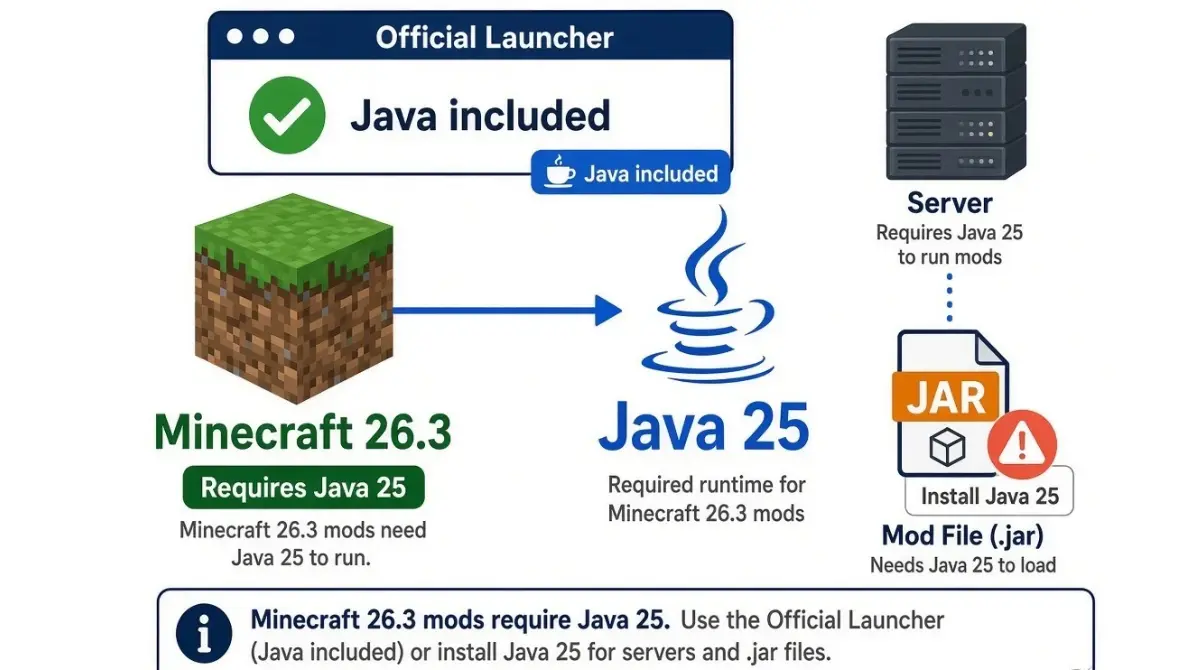
Table of Contents
📌 Quick answer: Minecraft 26.3 mods need Java 25. The official launcher bundles it, so you only install Java yourself for Fabric’s JAR installer, server JARs, and NeoForge’s installer. Check yours by running
java -version.
🕒 Verified against: Minecraft Java Edition version 26.3, checked October 14, 2026 · Stability: Semi-stable.
Do you need to install Java for 26.3 mods?
Minecraft 26.3 mods run on Java 25, but whether you install it yourself depends on how you launch the game.
- Official launcher only: nothing to install.
- Fabric or NeoForge installer, or a server JAR: install Java 25 first (section 4).
- “Class file version 69” error: your Java is too old (section 6).
- Older Minecraft version: see the table in section 3.
The evidence for Java 25 and current loader builds sit in the Java 25 check in our parent guide.
ℹ️ Before you continue: Fake Java and mod download pages spread malware. Take Java only from the Adoptium page in section 5, mods only from each project’s own page, and ignore download ads, as the FTC’s malware guide advises.
Why Minecraft 26.3 mods need Java 25
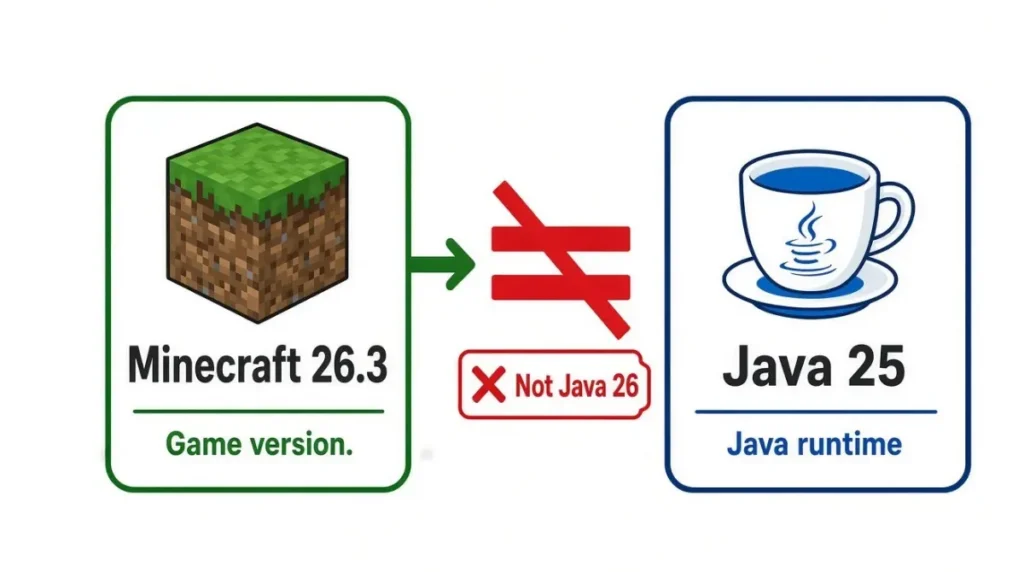
Mods run inside the game, so they need the Java the game runs on.
Game version vs Java version
Minecraft 26.3 is a game version; Java 25 is a separate program. The “26” is not a Java number, so Java 26 does not match.
What “Java 25” on a mod page means
A mod page saying “Java 25” names the Java that mod was built for.
🔎 Unconfirmed — Reported: Season System’s own mod page lists Java 17 (1.20.1), 21 (1.21.1), and 25 (26.x), checked October 14, 2026. It matches section 3.
Java version by Minecraft version for mods
Find the Java for any Minecraft version you mod.
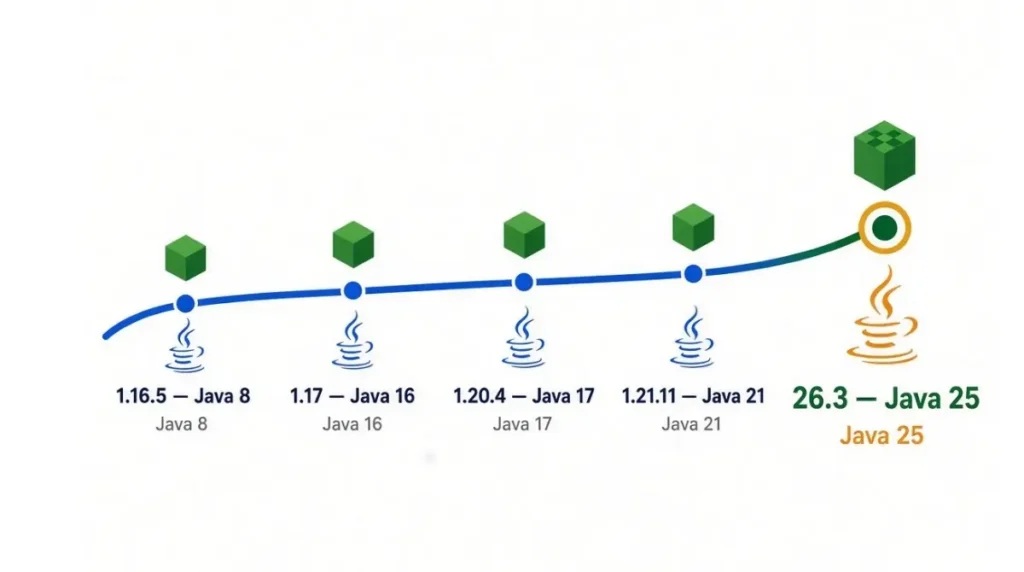
Table: Java, class-file number, and source tier
| Minecraft version | Java | Class-file no. | Key detail / tier |
|---|---|---|---|
| 1.12–1.16.5 | 8 | 52 | Reported (Wiki) |
| 1.17–1.17.1 | 16 | 60 | Reported (Wiki) |
| 1.18–1.20.4 | 17 | 61 | Reported (Wiki) |
| 1.20.5–1.21.11 | 21 | 65 | 1.21.1 confirmed (Mojang); range reported |
| 26.1–26.3 | 25 | 69 | Confirmed for 26.3 (Mojang) |
As of 26.3, checked October 14, 2026. Class-file number = Java release + 44, the pattern in Oracle’s own pairs (7 = 51, 9 = 53, 13 = 57).
✅ Confirmed: Mojang’s version files list Java 21 for 1.21.1 and Java 25 for 26.3 (checked October 14, 2026).
🔎 Unconfirmed — Reported: Other rows come from the community Minecraft Wiki Java tutorial; we did not check the Java 8 and 16 rows against Mojang’s files.
Why 26.3 differs from 1.21.1
Mods target one game version, so a 1.21.1 mod still needs Java 21.
Does the Minecraft launcher already include Java?
Yes: the official launcher bundles its own Java.
✅ Confirmed: Fabric’s documentation (Windows Java guide, labelled 26.2) says Java is needed only for the Fabric
.jarinstaller or a server.jar.
| Your path | Install Java yourself? | Source |
|---|---|---|
| Official launcher | No | Fabric docs (confirmed) |
Fabric .jar installer | Yes | Fabric docs (confirmed) |
Server .jar | Yes | Fabric docs (confirmed) |
| NeoForge installer | Yes | G-Portal (reported) |
| Third-party launcher | Check its Java setting | Not verified |
Installers and server JARs
🔎 Unconfirmed — Reported: G-Portal’s guide says the NeoForge installer needs Java installed manually; hub.tcno.co says a server script may not find the launcher’s bundled Java (both checked October 14, 2026).
Third-party launchers
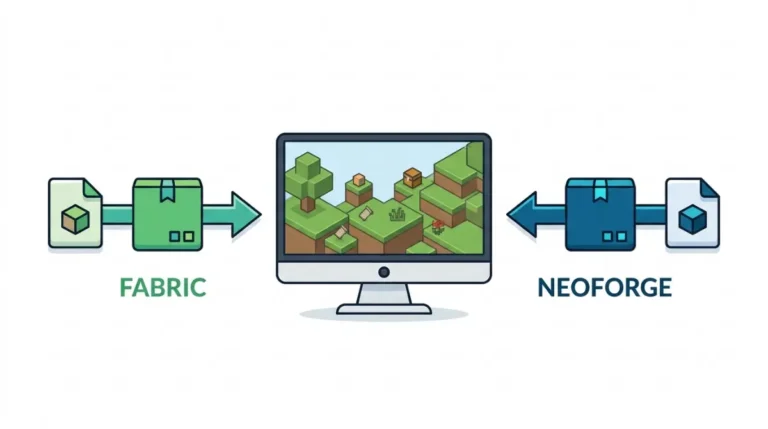
We did not verify individual launchers, so confirm yours points to Java 25. The Fabric vs NeoForge comparison covers which installer you run.
Check your Java version and install Java 25
Three steps, most likely fix first.
Step 1: Run java -version
🔧 Try this: Open a terminal (a window for typed commands), run
java -version. Shows 25? Stop. Older number or “not found”? Continue.
Step 2: Install Java 25 from a trusted source
🔧 Try this: Download Java 25 from the official Adoptium Temurin 25 page. On Windows, follow Fabric’s Windows Java guide and enable the options that set JAVA_HOME and the registry keys.
🔎 Unconfirmed — Reported: The Minecraft Wiki lists
winget install EclipseAdoptium.Temurin.25.JREandbrew install --cask temurin@25(checked October 14, 2026).
Step 3: Restart and confirm
🔧 Try this: Restart the PC, open a new terminal, and run
java -versionagain.
What “class file version 69” means
Class file version 69 means a file was built for Java 25, and an older Java cannot load it.
69 means Java 25
✅ Confirmed: Oracle’s Java SE 25 JVM specification says Java 25 supports class-file versions 45 through 69 (checked October 14, 2026).
🔍 Why it happens: Each Java reads class files only up to its own number. By the release-plus-44 pattern, Java 21 stops at 65.
Can Java 21 run 26.3 mods?
No: it stops with UnsupportedClassVersionError, which space-node’s 26.3 server guide reports for servers. Fix steps are in our guide to mods that will not load after a Java mismatch.
Edge cases: newer Java, old mods, and 26.4
Three cases can mislead you.
Can you use Java newer than 25?
🔎 Unconfirmed — Unverified: We found no official statement on Java newer than 25 (checked October 14, 2026). The Minecraft Wiki says a custom Java must match the minimum’s major version; supercraft.host advises against Java 26. Use Java 25.
Mods built for older Minecraft versions
A 1.21.1 instance needs Java 21 (section 3).
Will 26.4 change the Java requirement?
✅ Confirmed: Mojang’s file for 26.4-snapshot-4 (October 13, 2026) lists the same Java major as 26.3. Snapshots can change; the 26.4 release date status guide tracks timing.
Minecraft mods Java version: FAQ
1. What Java version do Minecraft 26.3 mods need?
Minecraft 26.3 mods need Java 25, as of October 14, 2026; the parent guide’s Java 25 check holds the evidence.
2. Do I need to install Java for modded Minecraft 26.3?
Not with the official launcher, which bundles Java. Install it for Fabric’s JAR installer, server JARs, and NeoForge’s installer.
3. Can I use Java 21 with Minecraft 26.3 mods?
No. Java 21 reads class files only up to version 65, while 26.3 mods need version 69, so it errors.
4. What Java version do Minecraft 1.21.1 mods need?
Java 21 for 1.21.1 mods, according to Mojang’s version file for that release, checked October 14, 2026.
5. What Java version do Minecraft 1.20.1 mods need?
Java 17, reported by the Minecraft Wiki and mod pages; Mojang’s 1.20.1 file was not checked.
6. Can I use Java 26 or newer with 26.3 mods?
Not confirmed. We found no official statement, so use Java 25 for Minecraft 26.3 mods until Mojang or your loader says otherwise.
7. How do I check my Minecraft Java version?
Open a terminal and run java -version. On Windows, restart the PC after installing Java so the new version is picked up.
8. Is Adoptium Temurin a safe Java download for Minecraft mods?
Fabric’s documentation recommends Temurin 25 from Adoptium. Download it from Adoptium’s own page, not from ads or mirrors.
9. What does class file version 69 mean for Minecraft mods?
It means the file was built for Java 25; any older Java cannot load it, so the game or server stops.
10. Does a Minecraft server for mods need Java installed separately?
Yes. A server JAR needs Java installed, because the launcher’s bundled Java is not guaranteed to be available to server scripts.
Next step
Minecraft 26.3 mods need Java 25 (as of October 14, 2026). The launcher bundles it; installers and server JARs need it installed. For current loader builds, use the loader status in the parent guide. This page is re-stamped when 26.4 ships.