Is Your Minecraft Seed Map Spawn Wrong? Find the Real Spawn Point

It searches outward from the world’s center, up to about 2,048 blocks, discouraging ocean spawns, so spawn is not fixed at 0,0.
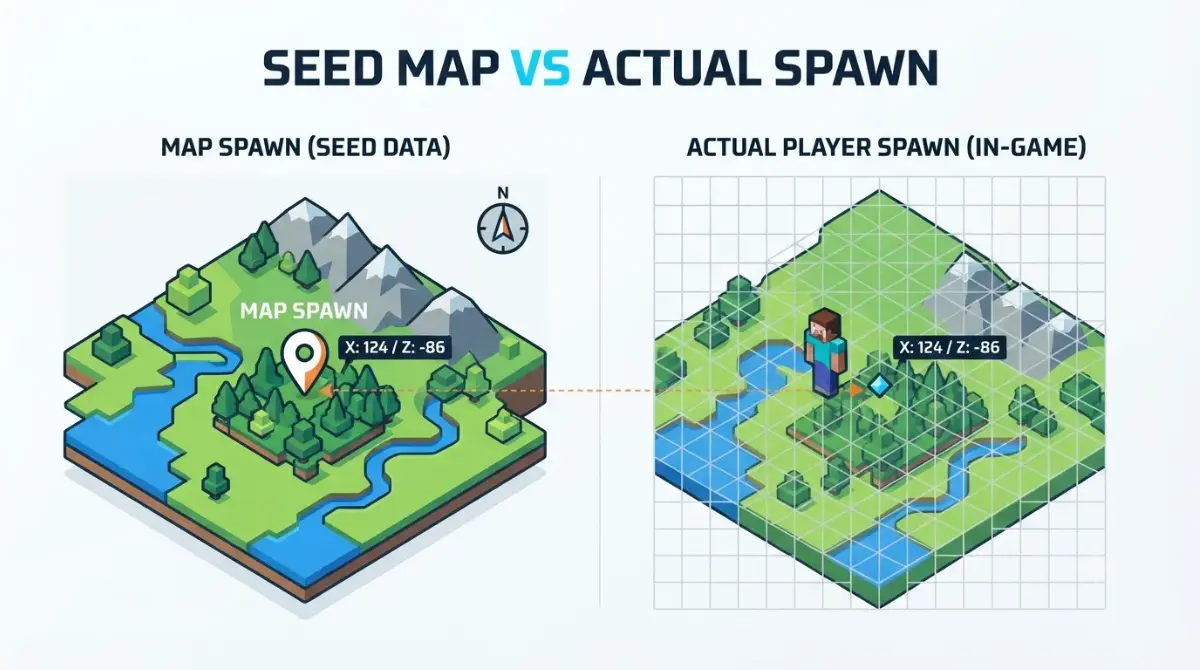
Table of Contents
📌 Quick answer: Your seed map can be right about terrain and still wrong about spawn. Maps estimate the world spawn point, and Java then drops you randomly within a 21×21-block area around it. Also check that the map’s edition and version match the one that created your world. A compass, unlinked to a lodestone, points to the true spawn.
🕒 Verified against: Minecraft Java 26.3 and Bedrock 26.50, checked October 6, 2026 · Stability: Semi-stable.
Seed map spawn wrong? Match your symptom
Each symptom below has a different cause, so match yours first. Most seed map mismatches come down to the seed, the edition or the version.
The spawn is a bit off
You landed near the marker, not on it. That gap is normal, and the next section explains it.
The whole world looks different
Terrain changed, not just spawn. That is a version question, covered in the guide on whether old Minecraft seeds still work after an update.
The spawn is right but structures are not
Your map’s edition or version is the likely culprit. Use the three checks further down.
What the spawn marker on a seed map shows
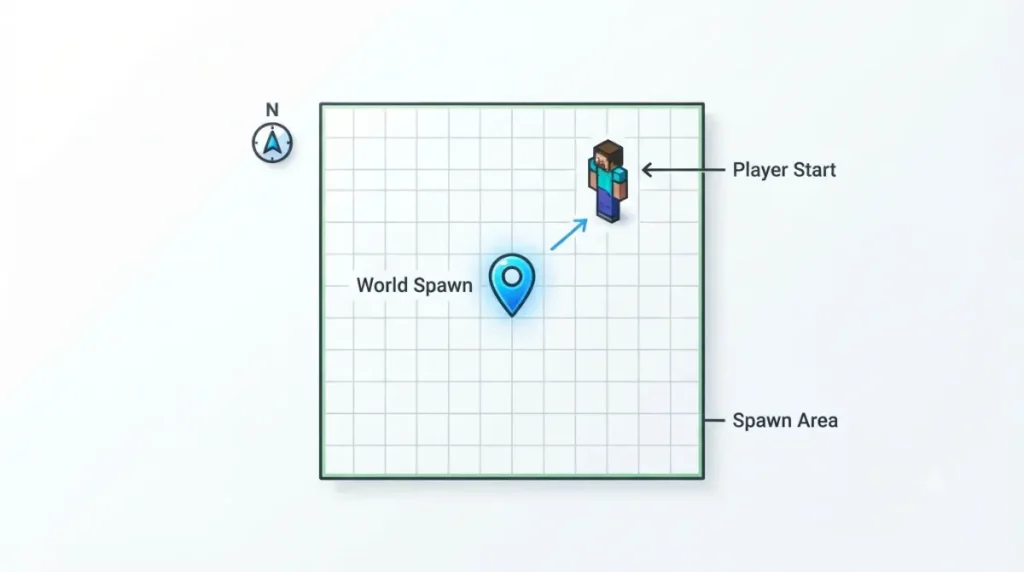
Your spawn differs because the seed map marks one estimated point, while the game places you in an area around it.
A point first, then an area
The game picks a world spawn point, then puts you on a random solid block nearby. In Java, that area is 21×21 blocks by default, set by the respawn_radius game rule, per the Minecraft Wiki’s world spawn page (as of Java 26.3).
Why a map can only estimate it
The game searches outward up to about 2,048 blocks, discouraging ocean spawns. Java then scans nearby chunks for a solid block. Chunkbase says spawn markers can be wrong or missing.
Spawn is not fixed at 0,0
That outward search is why the claim that spawn sits at 0,0 is wrong.
🔍 Why it happens: Spawn comes from its own search, which scores locations by climate values.
Spawn changes by version, Java and Bedrock

Mojang changed how spawn is chosen at least three times, so an old seed can spawn you elsewhere in a new world.
| Edition | Version | What changed | Tier |
|---|---|---|---|
| Java | 1.18 (21w42a) | Spawn selection reworked; fewer ocean spawns | Reported |
| Java | 1.21.2 (24w40a) | New scoring; spawns farther from 0,0 | Reported |
| Java | 1.21.9 (25w31a) | Spawn chunks removed | Reported |
| Bedrock | 1.21.60 | New scoring, same effect | Reported |
Source: Minecraft Wiki spawn history, as of October 6, 2026. Every row is reported, not officially confirmed.
Java changes
Older guides say a 19×19 area stays loaded around spawn. The default fell to 3×3 in 1.20.5, then the feature was removed.
Bedrock changes
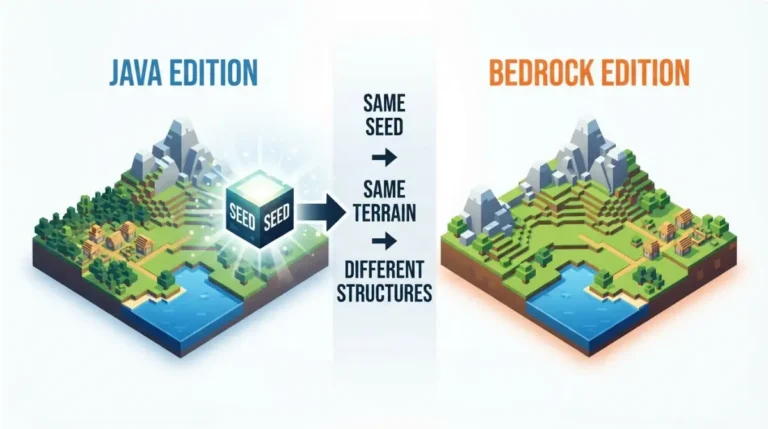
Bedrock changed its scoring in 1.21.60. Java and Bedrock seeds differ in other ways too, so spawns need not match across editions.
Reading the table for your world
Find your seed’s original version; any later row can move spawn in a fresh world. The Java 26.3 release page lists that drop’s changes.
Check your real spawn against the map
Run these three checks in order; each targets one map input.
Step 1: Match seed, edition and version
Run /seed and enter it with no leading or trailing spaces (/seed troubleshooting). In Chunkbase’s Seed Map, select the edition and version that generated your chunks. Version numbers are year-based now, and the main old-seeds guide is the place to check version details.
Step 2: Find your true world spawn
🔧 Try this: Carry a compass not linked to a lodestone; it points to the world spawn. Or set
respawn_radiusto 0 and use/kill.
⚠️ Watch out: Dying drops your items. Use the command method before gathering anything, or in a copy of the world.
Step 3: Compare coordinates, not looks
Read your coordinates and compare them with the marker. As a rule of thumb, a gap larger than the 21×21 area points to a version, edition or input cause.
Other causes: mods, packs, text seeds, older chunks
Chunkbase names three more reasons a map and a world disagree.
Mods, add-ons and data packs
Anything that changes world generation breaks the match, so compare against a vanilla world.
Text seeds and stray spaces
A word used as a text seed is converted to a number the way Minecraft does it. Chunkbase warns that leading or trailing spaces can break the match.
Worlds started on an older version
If your world began on an older version, switch versions in the map and pick the one that generated the chunks you are viewing. Our guide on why a seed looks different covers more.
Beds, anchors and commands that change where you appear
A map estimates the world spawn, but a bed or command changes where you return.
Beds and respawn anchors
Sleeping in a bed or charging a respawn anchor sets your own respawn point, not the world spawn.
✅ Confirmed: Minecraft.net’s spawning guide (September 22, 2023) says an unusable respawn point sends you to the world spawn.
/setworldspawn and server settings
/setworldspawn moves the world spawn, and /spawnpoint sets an individual one, per the Minecraft Wiki. On Adventure-mode servers, new players start directly on the world spawn.
Straw beds in 26.3 and 26.50
As of Java 26.3 and Bedrock 26.50, the Minecraft Wiki says a straw bed lets you sleep through the night without resetting your spawn point. It works once, and not in the Nether or End.
Where this advice stops: confirmed and unconfirmed
Confirmed
Bed and respawn anchor rules come from Minecraft.net’s 2023 guide.
Reported
The algorithm history and spawn area come from the Minecraft Wiki, and the marker limits from Chunkbase. A Mojira report, MC-55596, says chunks in one seed can vary with generation order; it was unresolved when we checked.
Not confirmed
🔎 Unconfirmed — Reported or missing (checked October 6, 2026): We found no reliable source for four points: whether upgrading a world moves its stored spawn; whether Java 26.3 or Bedrock 26.50 changed spawn selection; Bedrock’s spawn-area size, where sources disagree; and whether Bedrock still limits spawn to certain biomes. If any differs, the steps above change.
Quick answers on seed map spawn problems
1. Why is my Minecraft spawn different from the seed map?
A seed map estimates the world spawn point, but you land randomly in an area around it. Wrong edition or version widens the gap.
2. Is the Chunkbase spawn point accurate?
Chunkbase lists world spawn positions among features that can be wrong or missing, so treat the seed map marker as an estimate.
3. How do I find my world spawn point?
A compass not linked to a lodestone points to it. Setting the respawn radius to 0 and dying also works, but you lose your items.
4. Does spawn change when Minecraft updates?
A new world from the same seed can spawn elsewhere after Java 1.18, Java 1.21.2 or Bedrock 1.21.60. For existing worlds, it is unconfirmed.
5. Why does Bedrock spawn differently from Java on the same seed?
The editions use different selection steps, such as Java’s final chunk scan, so a seed map spawn need not match across them.
6. How big is the spawn area?
Java’s default is 21×21 blocks, set by the respawn_radius game rule. The Bedrock size is unconfirmed, so we do not state it.
7. Does a bed change my world spawn?
No. A bed sets your own respawn point, and the world spawn stays where it was.
8. What does /setworldspawn do?
It moves the world spawn point for the whole world, so new players and anyone without a respawn point start there.
9. Can mods or data packs break a seed map?
Yes, when they change world generation, because the seed map then no longer matches the world it describes.
10. Where does Minecraft look for the world spawn?
It searches outward from the world’s center, up to about 2,048 blocks, discouraging ocean spawns, so spawn is not fixed at 0,0.
Compare coordinates first, then work down the causes
Match the seed, edition and version, find your true spawn with a compass, then compare coordinates. If the gap is larger than the spawn area, check mods, text seeds and older-world causes, then look for a bed or command that moved your respawn.