Will Your Old Minecraft Seeds Still Work After Updating?

Old Minecraft seeds meet a new biome and camp structure. Mojang confirms both; what that does to your seed is mostly reported, not confirmed.
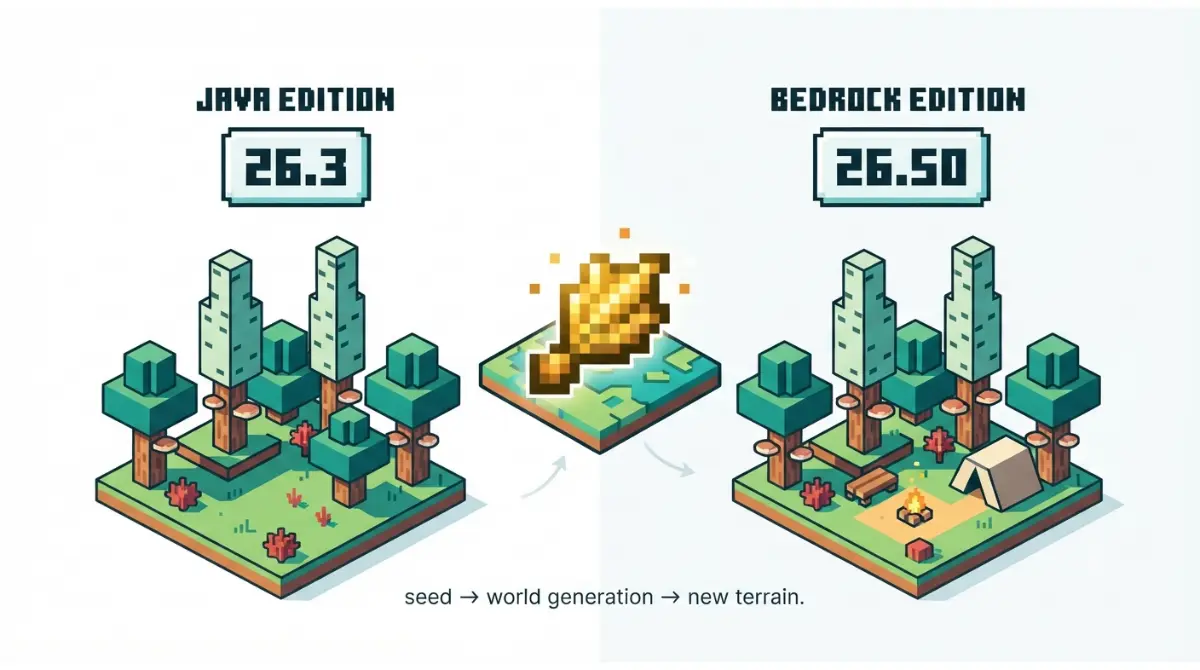
Table of Contents
📌 Quick answer: Old seeds still load in 26.3. Mojang confirms new terrain and camps; seed-tool makers report explored chunks stay unchanged and new worlds on old seeds can differ near cold biomes. Java is 26.3, Bedrock 26.50, not 26.3. Check seeds on a map set to your exact version.
🕒 Verified against: Minecraft Java Edition 26.3 and Bedrock Edition 26.50 (hotfix 26.52), checked September 30, 2026 · Stability: Volatile.
Quick answer: what 26.3 changed for seeds
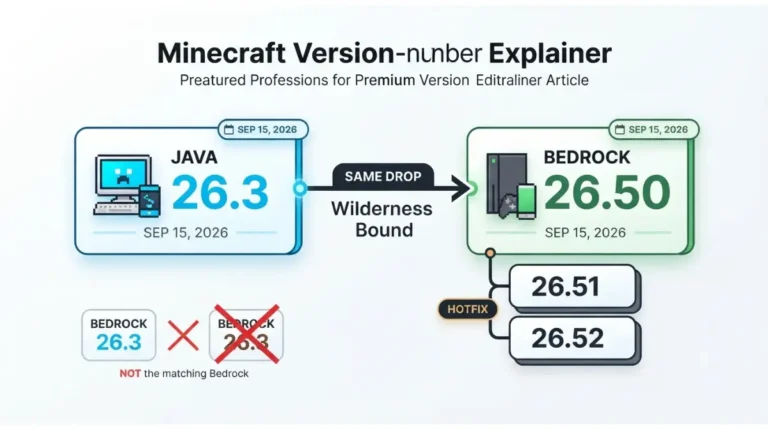
Two version numbers matter, and they don’t match. Other sections point back to this table.
Version map: Java, Bedrock and next snapshot
| Edition | Version | Released | Key detail |
|---|---|---|---|
| Java | 26.3, Wilderness Bound | Sept 15, 2026 | Newest Java release in Mojang’s changelog index |
| Bedrock | 26.50, Wilderness Bound | Sept 15, 2026 | Hotfixes 26.51 and 26.52 list no world-generation changes |
| Java snapshot | 26.4 Snapshot 1 | Sept 22, 2026 | Testing build; lists one world-generation change (sulfur caves below very old upgraded worlds), no stated change to seed output |
As of September 30, 2026.
Verified against
Mojang’s Java 26.3 notes, the Bedrock 26.50 changelog and hotfixes, and the 26.4 Snapshot 1 post. They were read, not played.
Find your situation: old world, new seed, Bedrock or server
This is a compatibility guide, not a seed list: coordinates and “best” verdicts can’t be verified without playing. Pick your situation below.
If you’re updating an existing world
You want to know whether explored terrain changes and whether you can undo the upgrade. Start with the verdict table in the old seeds and worlds section.
If you’re picking a seed from a list
Check the list’s version label before you trust it. The stale-lists section explains why many are off.
If you’re on Bedrock or console
Bedrock’s number for this drop isn’t 26.3. The Java vs Bedrock section maps the numbers.
If you run a server or use mods
Back up, then check your loader. The servers section lists what to verify.
What Minecraft 26.3 changed in world generation
Mojang’s notes add one biome and one structure that touch seeds. Here is what they confirm and what they leave out.
The dappled forest and where it generates
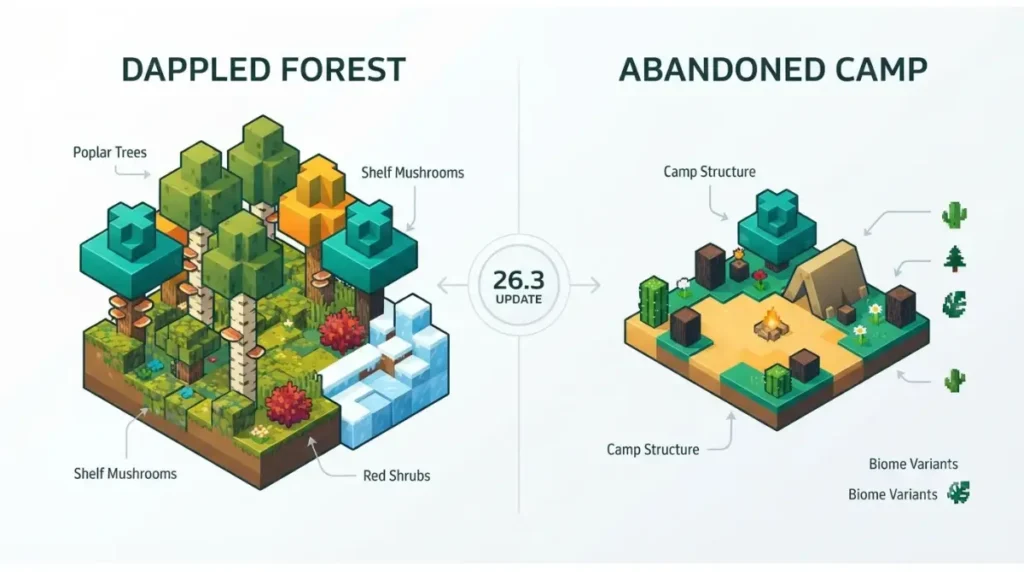
✅ Confirmed: Mojang’s Java 26.3 notes (September 15, 2026) describe the dappled forest as a forest biome found near cold biomes. The Bedrock 26.50 changelog (also September 15, 2026) says the same.
Poplar trees, shelf mushrooms, red shrubs and a camp variant come with it. Neither set of notes says how common the biome is.
🔎 Unconfirmed — Reported: SyntaxMine’s dappled forest guide (retrieved September 30, 2026) says it borders plains, sunflower plains, ice spikes and cherry grove but not taiga. Mojang’s notes don’t say this, so treat it as a search hint only.
Abandoned camps: 18 biomes, biome variants
✅ Confirmed: Mojang’s Java 26.3 notes (September 15, 2026) list 18 biomes for the abandoned camp, each with its own variant, from meadow and forest to swamp, savanna and pale garden. The Bedrock 26.50 changelog lists the same biomes.
🔎 Unconfirmed — Datamined: The Minecraft Wiki and Craftdex, both reading 26.3 game data (retrieved September 30, 2026), describe one camp attempt per 37×37-chunk region, with spacing 37 and separation 8. Mojang’s notes give no placement numbers, so tool coordinates could shift if that data is misread.
Explorer maps and structure locating
Explorer maps are now separate items, and existing ones convert when a world loads. Camps also hold maps to other camps and to structures such as ancient cities and mineshafts. Mojang lists faster structure locating and chunk generation but doesn’t say results changed.
Bedrock-side fixes
✅ Confirmed: Mojang’s Bedrock 26.50 changelog (September 15, 2026) says one world seed no longer produces end portals with inconsistent Eyes of Ender. It also says lava lakes no longer replace nearby beds or doors with stone when a lake generates in a village.
What the notes don’t say
Neither the Java nor the Bedrock notes say how far the new biome reshapes a fresh world on an old seed, or whether older structures moved. Treat any “X% of seeds changed” claim as unsourced.
Do old Minecraft seeds and worlds still work in 26.3?
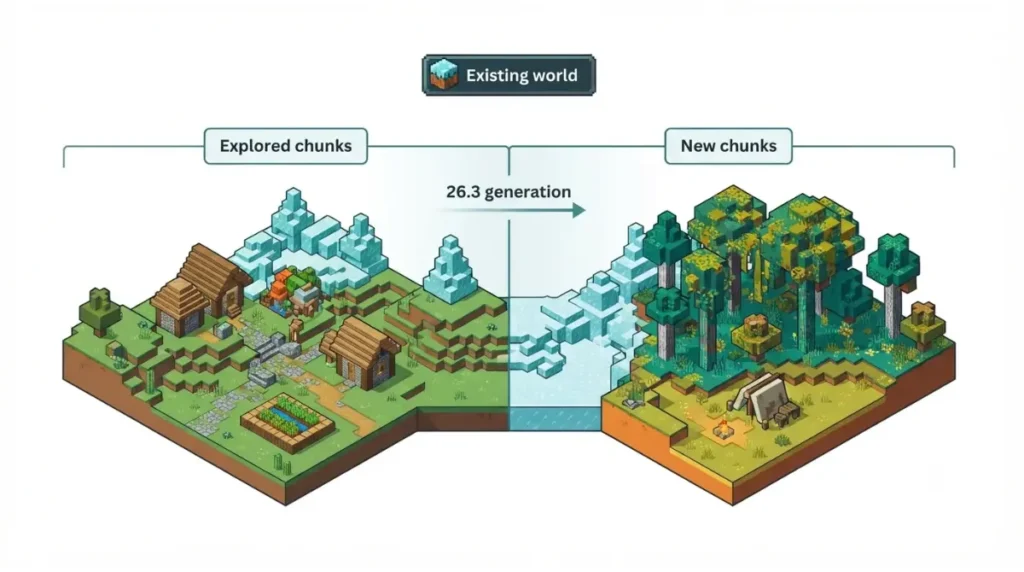
Use this section to decide whether to update, explore or start fresh. Every row carries its confirmation tier.
Old seeds still load, with limits. Several outlets report the dappled forest and camps appear only in newly generated chunks, so explored terrain stays as it was. MC Seed View reports a fresh world on a 26.2-era seed can differ in colder regions, and camps are new.
Quick verdict by scenario
Version note: rows describe Java 26.3 and Bedrock 26.50 as of September 30, 2026.
| Scenario | What to expect | Tier | Key detail |
|---|---|---|---|
| Explored chunks, existing world | Unchanged | Reported (Wabbanode, MineHost, SyntaxMine) | Mojang’s notes don’t state it |
| Unexplored chunks, existing world | Use 26.3 generation; dappled forest and camps can appear | Reported; features Confirmed | Travel into new terrain near cold biomes |
| New world on a 26.2-era seed | Colder regions can differ; camps are new | Reported (MC Seed View) | No published measure of how much |
| Older structures (villages, ancient cities) | Reported to keep positions | Reported (MC Seed View) | Notes list no placement change |
| Snapshot-era camp coordinates | Treat as unreliable | Reported (MC Seed View, mcseedmap.net changelog) | Camp placement is Datamined (see above) |
| Java vs Bedrock terrain and biomes | Reported to match; structures differ | Reported | See the Java vs Bedrock section |
| Bedrock “26.3” or “26.30” world | Earlier, different releases | Confirmed (Mojang’s changelog index) | Wilderness Bound is 26.50 |
| Opening an older world in 26.3 | Converts it forward | Reported; version history Confirmed | Back up first |
| Seed map versus your world | Set the map to the version that generated your chunks | Reported (Chunkbase) | Mixed-version worlds need care |
Explored vs unexplored chunks
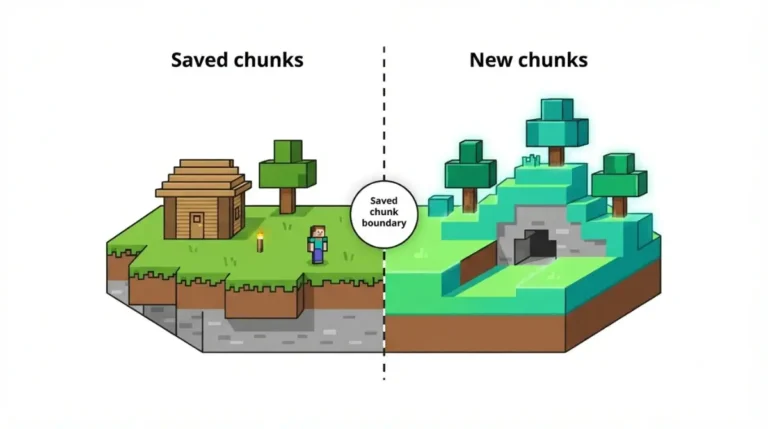
🔍 Why it happens: Minecraft doesn’t store a finished planet; it calculates terrain in chunks as you approach them. A chunk you’ve already visited is saved. Only terrain that hasn’t been generated yet uses 26.3’s rules.
A world you’ve explored around cold biomes won’t gain a dappled forest until you travel into chunks that haven’t been created yet, according to SyntaxMine.
New worlds on an old seed
A brand-new world starts on 26.3 terrain from its first chunk, according to server host Berrybyte. MC Seed View reports that parts of colder forest regions can be a different biome than in 26.2, and that villages, temples and ancient cities keep their positions. Mojang hasn’t published a comparison, so check your own seed with the steps below.
Can you undo a world upgrade?
SyntaxMine reports that opening an older world in 26.3 converts it forward, and going back to an old launcher version doesn’t undo that.
✅ Confirmed: Mojang’s Java 26.3 notes (September 15, 2026) say level.dat now stores a list of earlier data versions, and that the server protocol now reports when a full world upgrade starts, progresses, finishes or fails.
⚠️ Watch out: Back up a world you care about before you open it in 26.3, not after. Mojang’s snapshot posts also warn that testing versions can corrupt worlds, so keep test worlds in a separate folder.
Java vs Bedrock seeds: same world or not?
The same seed number can behave differently across editions, and the version numbers don’t line up.
The Java and Bedrock version-number trap
| Drop | Java | Bedrock | Key detail |
|---|---|---|---|
| Tiny Takeover | 26.1 | 26.10 | Java name per Crafty; Bedrock per Mojang’s index |
| Chaos Cubed | 26.2 | 26.30 | Pairing per mcseedmap.net’s changelog; Bedrock name per Mojang’s index |
| Wilderness Bound | 26.3 | 26.50 | Both Mojang notes |
| (not a pairing) | — | 26.3 | An earlier Bedrock changelog, listed before Tiny Takeover in Mojang’s index |
Bedrock’s Wilderness Bound release is 26.50. Bedrock 26.3 and 26.30 are earlier releases, so a Bedrock player needs 26.50 or later for the dappled forest.
✅ Confirmed: Mojang’s Bedrock 26.50 changelog (September 15, 2026) lists the dappled forest and the same 18 camp biomes.
Some guides say Bedrock follows Java’s numbering. Mojang’s changelog index shows it doesn’t.
What matches across editions and what doesn’t
The Minecraft Wiki (community-run), mcseedmap.net and ChunkScan each report that terrain and biomes match across editions since 1.18, while structures differ. MineyMap adds that Trail Ruins and Trial Chambers are exceptions.
Where lists overstate the difference
One seed-list site says the editions use completely different algorithms and give entirely different worlds. The sources above disagree, and no Mojang statement was found, so treat both views as reported and use a map set to your edition.
Why old seed lists and seed maps show the wrong world
Most stale results fail for one of three reasons: they were tested early, they copied old coordinates, or they mislabel the version.
Lists tested on snapshots and previews
CraftMC says one roundup’s terrain was recorded on experimental Java snapshots and Bedrock previews before the stable drop. According to the Minecraft Wiki, Java 26.3 went through ten snapshots, three pre-releases and three release candidates first.
Camp coordinates from the snapshot era
🔎 Unconfirmed — Reported: MC Seed View (September 16, 2026) says camp spacing widened between snapshot 4 and release, moving nearly every camp. The wiki describes the release grid but not the earlier value, and mcseedmap.net’s changelog says it fixed camp positions for both editions. If the history is wrong, the advice holds: don’t reuse snapshot-era camp coordinates.
Seed-tool support status
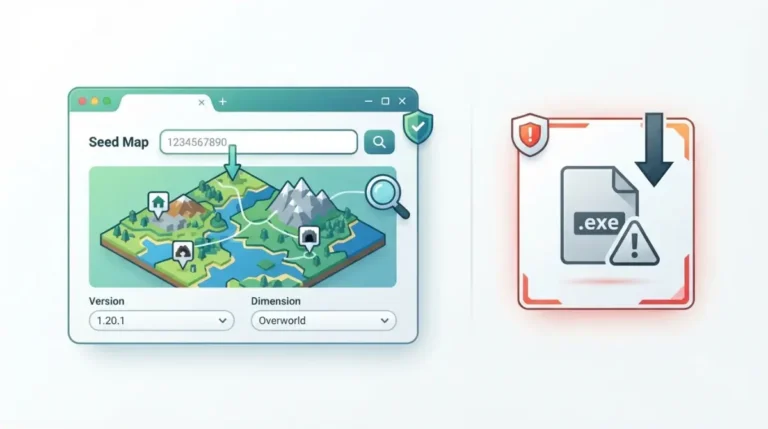
Tools are named for reference; we haven’t tested them and don’t link them. Prefer browser-based viewers over downloaded “seed finder” programs.
As of September 30, 2026.
| Tool | Java 26.3 | Bedrock 26.50 | Source |
|---|---|---|---|
| mcseedmap.net | Yes | Yes | Its own changelog |
| MC Seed View | Yes | Not stated in sources reviewed | Its September 16 article |
Correction log
- Sept 30, 2026: A “September 2026” seed roundup frames its picks as current as of the Spring to Life update. The current Java release is Wilderness Bound.
- Sept 30, 2026: A seed-database page still describes 26.3 as in snapshots. It released September 15, 2026.
- Sept 30, 2026: A Bedrock seed video is labelled “26.3+”. Bedrock’s Wilderness Bound is 26.50.
- Sept 30, 2026: A seed video titled for 26.3 has a description that still says 26.1.2.
How to check any seed against 26.3 yourself
Do this on a copy of your world or a fresh test world, so nothing you care about is at risk.
Step 1: find your world’s seed
🔧 Try this: On Java, open chat and run
/seed; the Minecraft Wiki reports it works in singleplayer even with cheats off. On Bedrock, open the world’s settings and read the Seed field. Guides name that menu differently by platform, so check the game and advanced sections.
Step 2: set the seed map to the right version
- Choose your edition, Java or Bedrock.
- Choose the current version from the version map at the top or, for an older world, the version that generated the chunks you’re looking at, as Chunkbase advises.
- Enter the seed and compare biomes near spawn with what you see.
Step 3: confirm in-game with /locate
On Java, run /locate for a structure your map shows nearby and compare the coordinates. MC Seed View says it checked its own coordinates this way on Mojang’s 26.3 server. Commands must be allowed for the world; Mojang’s Java 26.3 notes list an Allow Commands option under World Options.
When the map still doesn’t match
- The map is set to the wrong edition or version.
- The world carries chunks from more than one version, so no single version matches everywhere.
- Mods or data packs change generation, and MC Seed View says its tools cover only unmodded worlds.
Servers, mods and data packs: what to check before updating
Servers and modded worlds break in ways single-player worlds don’t. Check these before you update.
Server owners: back up and read the upgrade notes
✅ Confirmed: Mojang’s Java 26.3 notes (September 15, 2026) make the white-list server property true by default and add world-upgrade notifications to the server management protocol.
Take a full world and config backup before the first launch on 26.3.
Mods and loaders: wait for your loader
Fabric’s September 15 post says 26.3 changes will affect most mod developers and asks players to be patient.
As of September 30, 2026.
| Software | Status source | Key detail |
|---|---|---|
| Fabric Loader | Fabric’s 26.3 post | Named 0.19.5 as the current stable loader at the time of writing |
| Geyser (crossplay) | Reported by Berrybyte | Advises keeping a crossplay server on 26.2 until Geyser lists 26.3 support; verify on Geyser’s own release page |
Data packs that change world generation
Java 26.3 uses Data Pack version 121.0 and changes several data formats, per Mojang’s notes. SyntaxMine reports renamed world-generation feature types, so test any world-generation pack on a copy.
Minecraft 26.3 seed questions, answered
1. Do old Minecraft seeds still work in 26.3?
Yes, they load. Explored terrain is reported to stay unchanged; new chunks use 26.3 generation, so check your seed on a matching-version map.
2. Will the dappled forest appear in my existing Minecraft world?
Only in newly generated chunks, per several outlets. Mojang says it generates near cold biomes, so explore new terrain near cold regions.
3. Are Java and Bedrock Minecraft seeds the same?
Terrain and biomes are reported to match since 1.18, but structures differ. Sources disagree on details, so use a map set to your edition.
4. Which version number does Bedrock use for Wilderness Bound?
Bedrock 26.50. Java’s version of the drop is 26.3, and Bedrock 26.3 and 26.30 are different, earlier releases.
5. How do I find my Minecraft seed on Java and Bedrock?
Java: run /seed in chat. Bedrock: open the world’s settings and find the Seed field. Then set your seed map to the same version.
6. Can I go back after opening my world in Minecraft 26.3?
Outlets report the upgrade converts the world forward and can’t be undone by switching launcher versions. Back up before you open it.
7. Why doesn’t my Minecraft seed map match my world?
Common causes are a map set to the wrong edition or version, or a modded world. Match both first.
8. Do mods or data packs change what a Minecraft seed generates?
Mods that add biomes or structures can change what a seed generates, and vanilla seed maps only cover unmodded worlds, per MC Seed View.
What to do next with your seed
You now know what Mojang confirms, what outlets only report, and how to check your own seed.
Next steps
- Back up your world.
- Check your seed on a map set to your exact version.
- Explore new terrain near cold biomes if you want a dappled forest.
Subscribe to our newsletter if you want a note when a Minecraft drop changes how seeds behave.